Section 2: Initialization and Configuration
2. Start HyperTerminal, or another terminal program such as Procomm or TerraTerm,
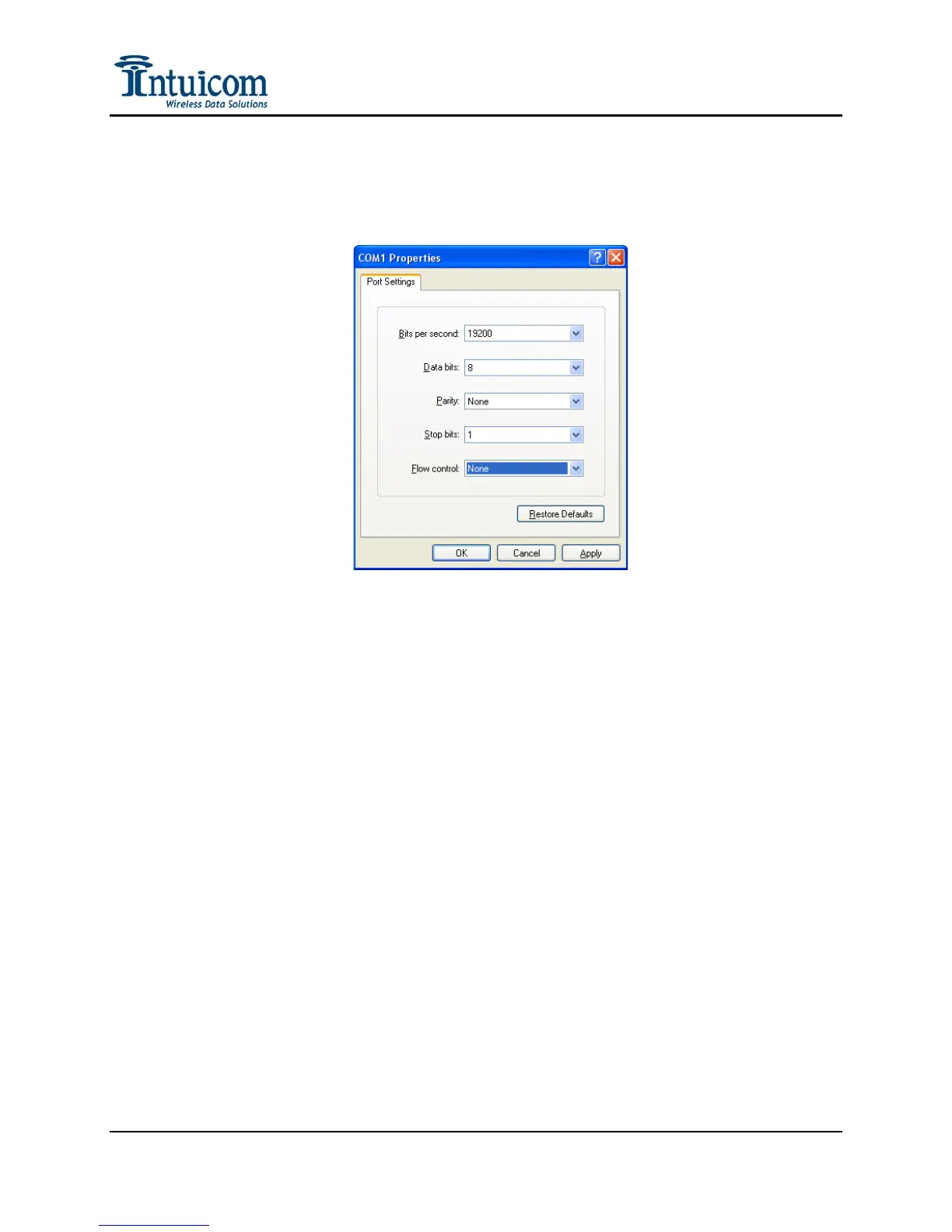
and configure it to use the same COM port to which the cable was just attached, and
for 19200 baud, 8 data bits, 1 stop bit, no parity, and no flow control:
Figure 2-2: Hyperterminal Connection Properties Dialog
3. Power the RTK Bridge unit by pressing and holding the green power button until the
PWR LED turns red. Wait for approximately 30 seconds for the unit to boot, then
type “700” on the terminal screen to invoke the setup menu.
If the unit has not been activated (CDMA) or does not have a SIM inserted
(GSM/GPRS/EDGE), or is not within coverage, it may be necessary to type ‘q’ to
skip the modem’s network registration step.
Revision 1.4 7 © 2009 Intuicom, Inc.


 To Next Page