Section 3: Operation
3 Operation
The Intuicom Wireless RTK Bridge unit must be properly configured before operation. See
Section 2 for information about how to configure a unit prior to use. Once configured, and
physically setup for operation, the unit will go through a startup routine when powered on,
connect to the GNSS network server, and begin broadcasting corrections.
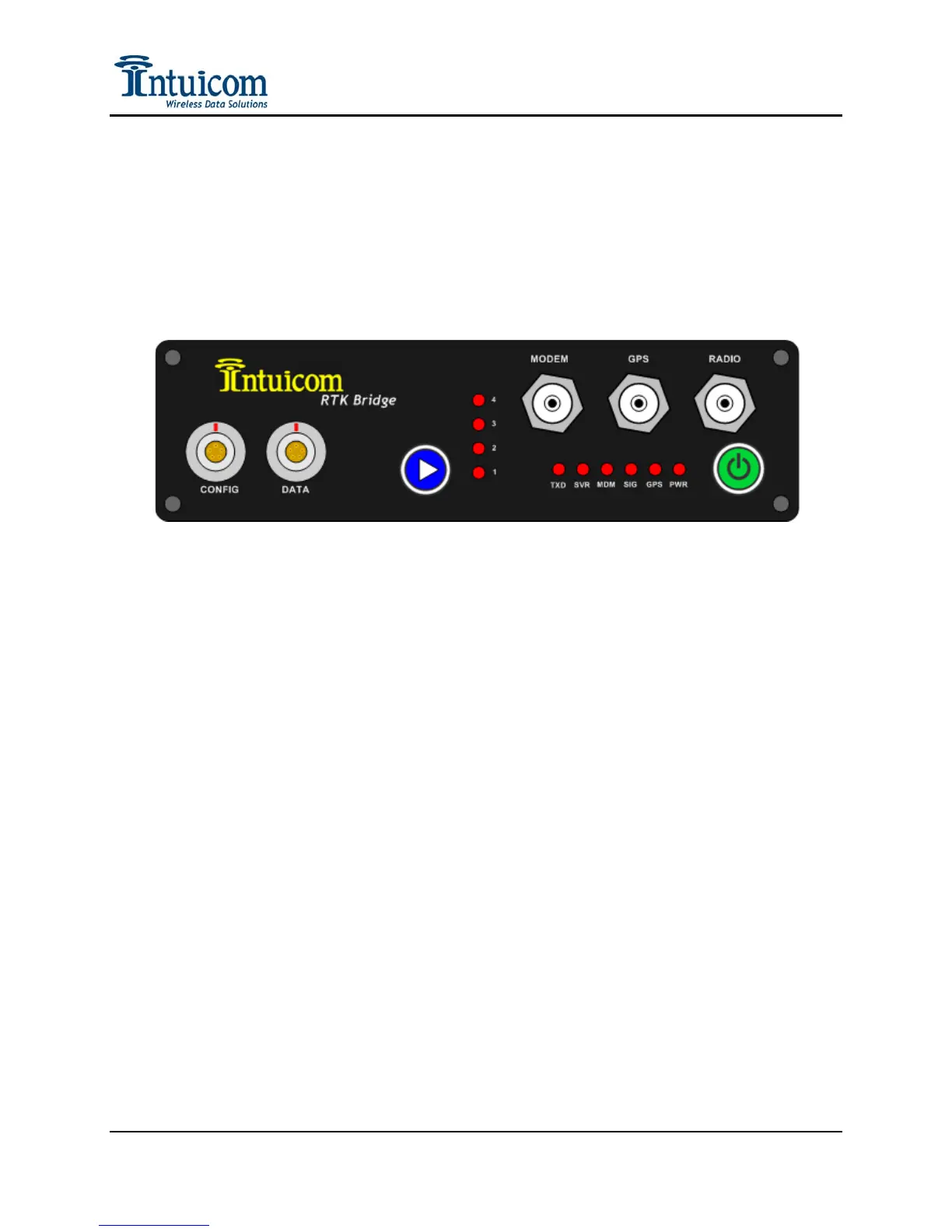
Figure 3-1: RTK Bridge - Cellular Front Panel
3.1 Basic Steps for Operation
1. Connect Wireless Data Antenna – Connect an appropriate data antenna to the TNC
RADIO connector on the front of the unit (Labeled 9 in Figure 3-1). The antenna could
be an omni-directional antenna or a directional yagi antenna. Typically there is a
segment of cable between the unit and the antenna. Suggested cable types include Times
Microwave LMR240 and LMR400 with TNC and N-Type connectors. Contact Intuicom
for more information about antennas and cabling. Position the antenna to provide the
best coverage for your application. In general, antenna height makes a significant
difference in range and performance. “Height is everything.”
2. Connect GPS Antenna – If the configuration utilizes the embedded GPS to obtain a
correction stream, be sure to attach the included L1 GPS antenna to the TNC connector
on the front panel (Labeled 8 in Figure 3-1) and position the antenna such that it has good
visibility to the sky.
3. Connect Modem (Cellular) Antenna – Connect the appropriate Cellular antenna to the
Modem antenna connector on the front panel (Labeled 7 in Figure 3-1). This antenna
will be the included “duck” antenna or an optional directional panel antenna. If the unit
is located in weak wireless coverage, a directional panel antenna may be necessary to
successfully connect to the network. See Cellular Modem Antenna Aiming Mode in
Section 3.5.
Revision 1.4 24 © 2009 Intuicom, Inc.


 To Next Page