Section 2: Initialization and Configuration
2.2 Embedded Cellular Modem Activation
The activation process involves two steps: contacting your carrier and establishing or adding
a new line to an account, and activating the device after the account/line has been
established. Currently the Intuicom RTK Bridge - Cellular can be ordered with an embedded
modem compatible with either Verizon (CMDA) or any GSM/GPRS/EDGE carrier such as
AT&T or T-Mobile. The activation process differs slightly depending on the carrier. In
either case you will typically need a few pieces of information available from the
configuration menu of the unit.
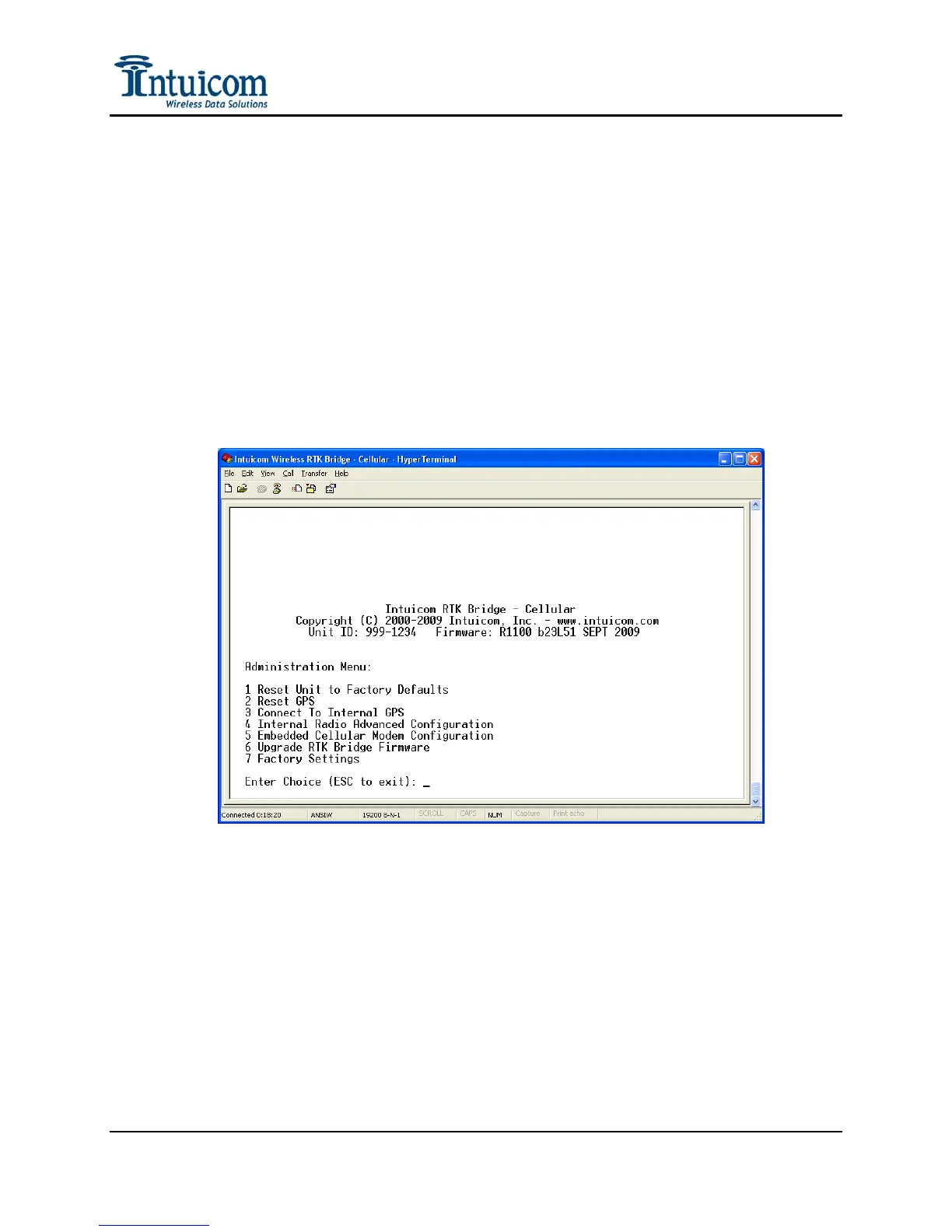
Access the modem configuration menu by selecting Administration->Embedded Cellular
Modem Configuration:
Figure 2-5: Administration Menu
Revision 1.4 9 © 2009 Intuicom, Inc.


 To Next Page