Section 2: Initialization and Configuration
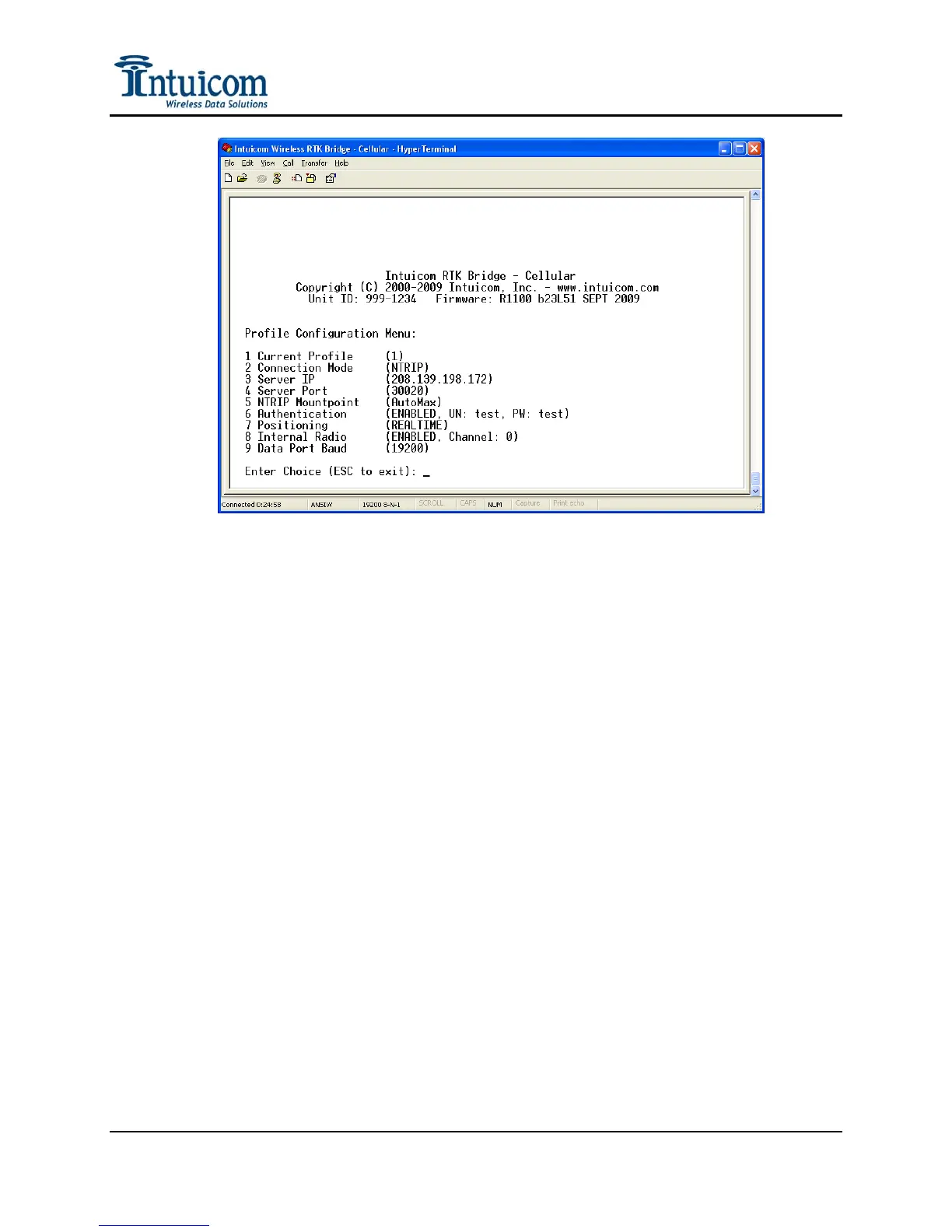
Figure 2-10: Configuration Menu for Profile #1
From the Main Configuration Menu, select Option 1, Profile Configuration. In this menu,
each Profile (1-4) can be selected and/or its parameters configured.
Current Profile – Select Menu Option 1 to change the current Profile. When a given Profile
is selected, its number will be show (1) – (4). Once a Profile is selected, its parameters can
be configured. The parameters from the selected Profile will be used when the unit is
operating. The active profile can also be selected from the front panel of the unit without the
need to use a PC to access the configuration menu. See Operation.
Connection Mode – Select either NTRIP or RAW. In NTRIP mode, the unit will connect to
the IP address and TCP port selected in the following options, and attempt to connect to the
user specified mountpoint. If authentication is required, the user supplied username and
password will be used. In RAW mode, the unit will perform a simply TCP socket connection
to the IP address and TCP port specified in the following options. If authentication is
enabled, the unit will send the $GPUID string at regular intervals populated with the user
supplied username and password.
Server IP – Enter the IP address (x.x.x.x) of the GNSS network server (e.g. Spider, VRS,
etc) to which the unit will attempt a connection. Be carefully to enter the IP address
correctly.
Server Port – Enter the TCP port number on the GNSSnetwork server to connect to.
Typically the TCP port number will have been provided with the server IP address.
Revision 1.4 17 © 2009 Intuicom, Inc.


 To Next Page