Using the Countess
™
Automated Cell
Counter,
Continued
Cell Counting
Procedure,
continued
After reviewing the data, press the Close button to return to
the main screen.
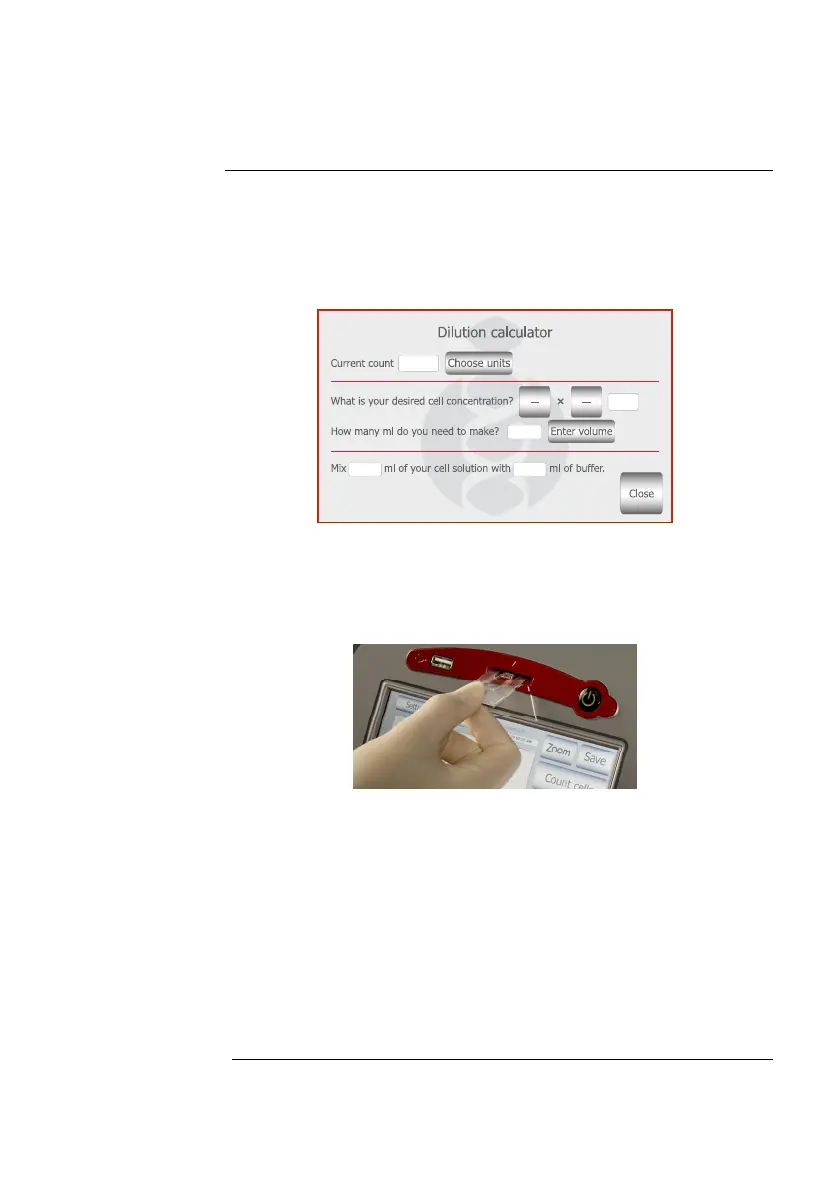
The Calculator button allows you to quickly calculate
adjustments to the cell suspension to obtain a desired
concentration.
13. To count the cells in the other side of the slide chamber (side
B), remove the Countess
™
slide after side A is counted by
pushing in the slide slightly and then pulling the slide out.
Turn the slide around and reinsert into the slide inlet and
repeat the procedure.
14. The Countess
™
automated cell counter memory holds one set
of data. To save your data for future analysis or archiving, you
must record the data or save after each reading. See page 16
for Transferring Data to a PC.
15. After recording or saving the data, remove and discard the
slide appropriately as biohazardous waste.
16. At this point, the Countess
™
cell counter instrument is ready
for another sample. If you are not using the instrument, press
the Power button to turn off the instrument.
Note: If the touch screen is not responding, you can turn off the instrument
by pressing and holding the Power button for 4 seconds.
Continued on next page
15



 To Next Page