TIGER XTL Instrument User Manual V1.0
Pioneering Gas Sensing Technology. Page 40 of 56 ionscience.com
Custom Calibration Procedure
From the main running screen, Press the Options soft key on your TIGER XTL to access the
adjustable features.
Then use the Up or Down key to select calibration. Press Enter to confirm selection.
Select Custom Calibration and press Enter to confirm.
On confirming the selection, the user is presented with a 30 second count down.
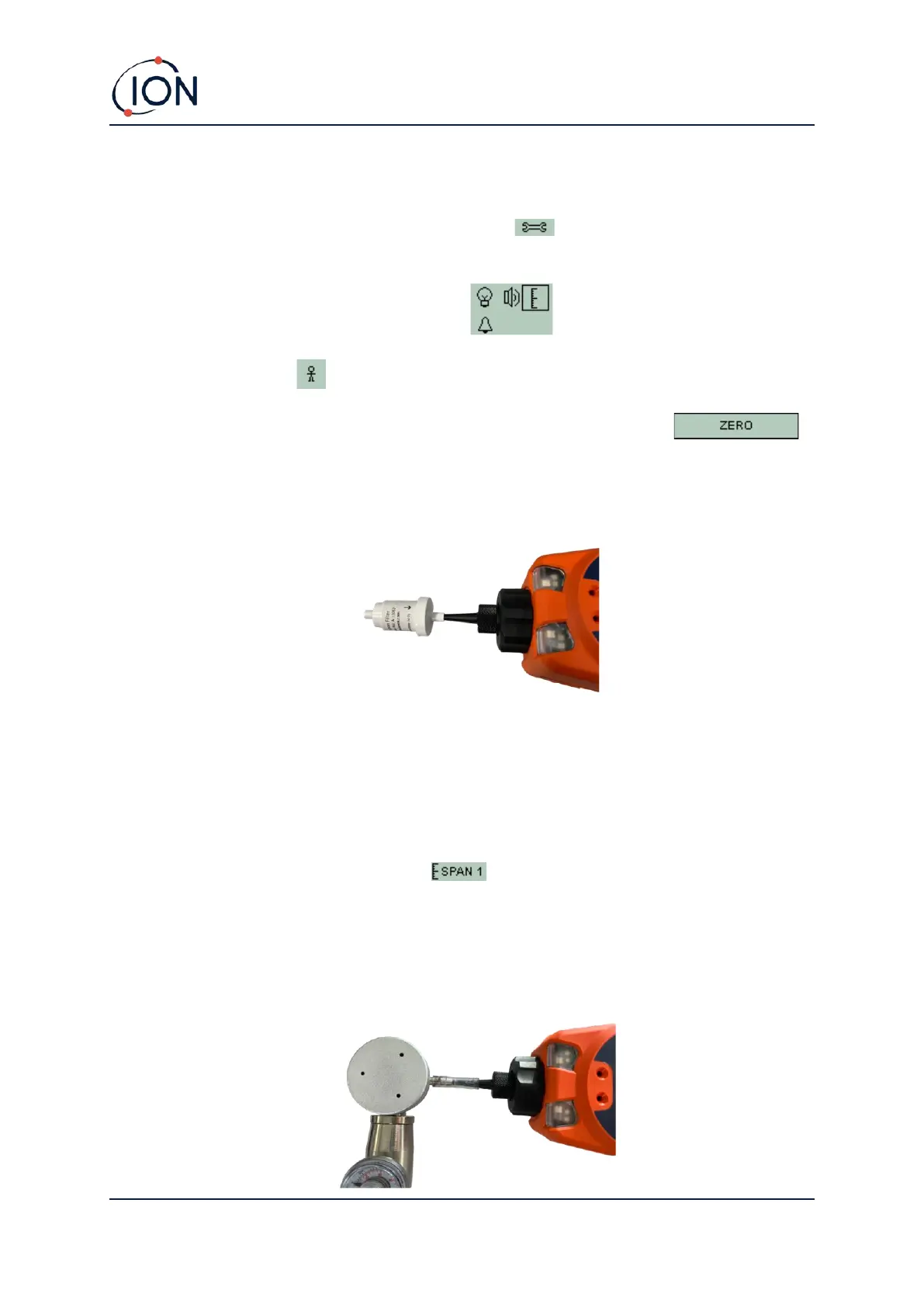
Remove both caps from the Carbon Filter (A-31057) and then fit onto the probe of your TIGER XTL.
Press Enter to start the ‘zero’ countdown. At the end of the count down a tick '✓' will appear,
indicating that the Zero has been accepted. Disconnect the Carbon Filter Assembly and replace the
cap ends. The useful life of the Carbon Filter Assembly will be shortened if the Carbon Filter
Assembly is open to atmosphere for prolonged periods.
Press Enter again and the gas and concentration for Span 1 (previously set up in TIGER LT PC) are
displayed along with a 30 second countdown. Attach the ‘Span 1’ gas using the Calibration
Adaptor (861476) (see ’Accessories’) and press Enter to start the Span 1 countdown. At the end of
the count down a tick '✓' will appear, indicating that the Span 1 has been accepted. Press Enter and
the calibration is complete.



 To Next Page