TIGER XTL Instrument User Manual V1.0
Pioneering Gas Sensing Technology. Page 47 of 56 ionscience.com
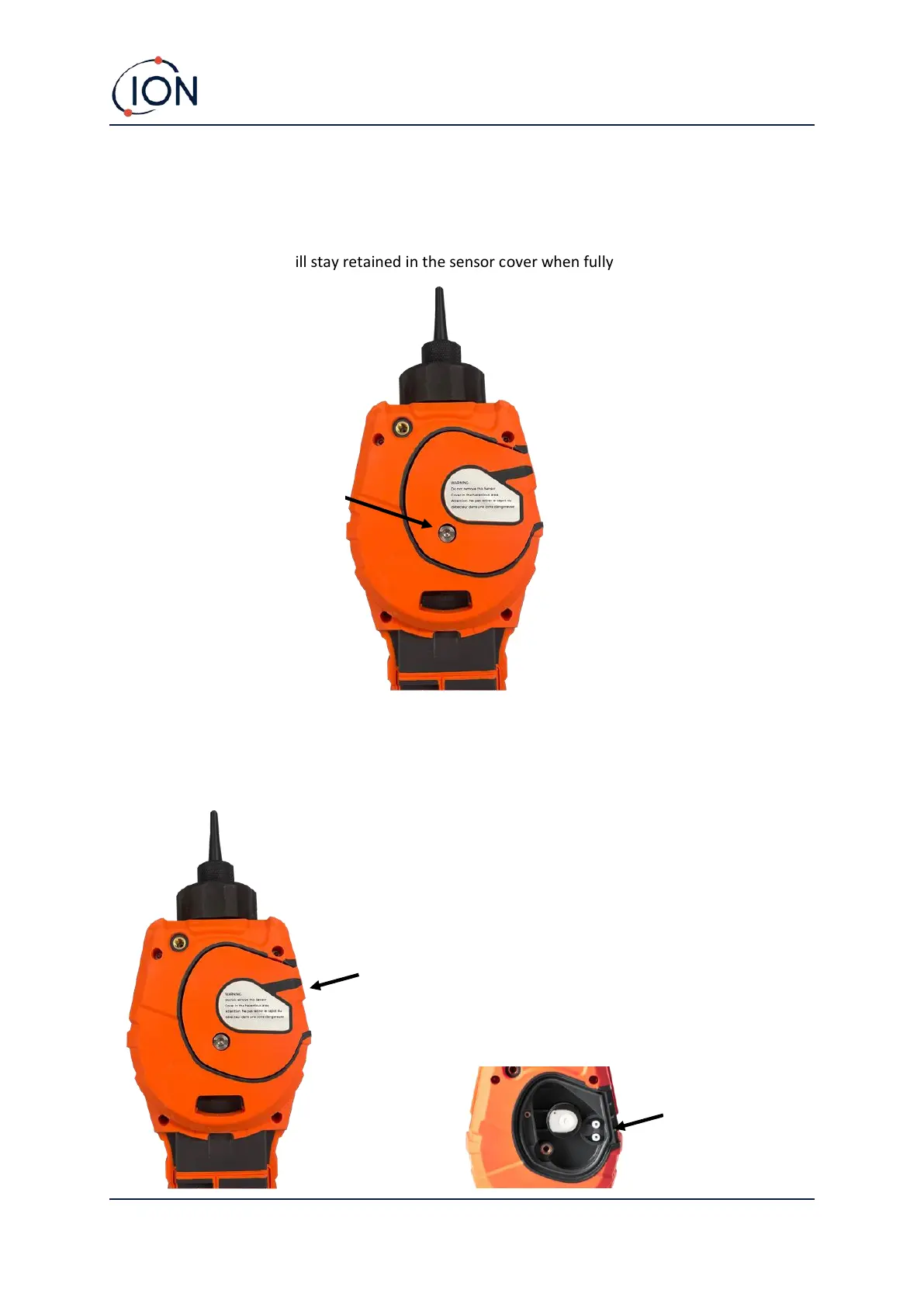
Removing and refitting the sensor cover
To remove the sensor cover from the instrument body, unscrew the bottom left screw using a 3mm
A/F allen key. The screw will stay retained in the sensor cover when fully loosened.
Once the screw is loose, gently pull the right side of the sensor cover from the instrument body until
you feel that the sensor cover has unengaged from the inlet/outlet ports. Once it is unengaged,
gently pull the entire sensor cover from the instrument body.



 To Next Page