ION Audio Uber™
Boom User Guide 6
Click a control below to jump to that section.
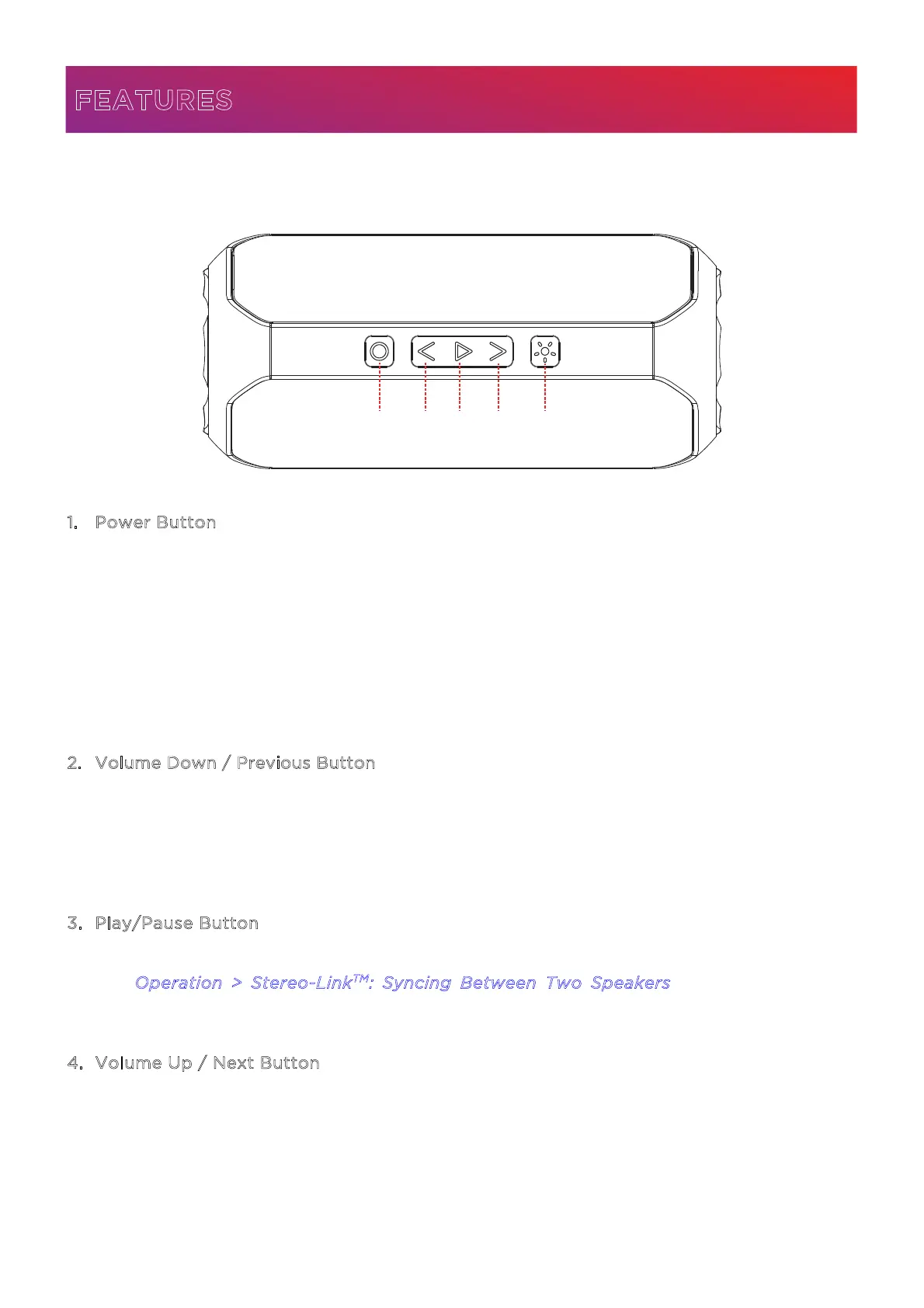
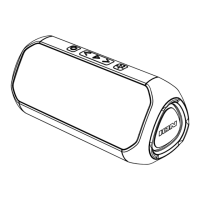
1. Power Button
Press and hold this button to turn Uber
TM
Boom on and o.
When powered on, press and release this button quickly to cycle through the audio source
modes: Bluetooth, SD, and Aux. SD and Aux modes can only be selected if a microSD card
is inserted or an auxiliary device is connected.
Press and hold this button for three seconds to disconnect a paired Bluetooth device. While
disconnected, press and hold this button for five seconds to clear the pairing memory.
Double-press this button to turn voice prompts on or o.
2
. Volume Down / Previous Button
Press this button to reduce the speaker’s volume.
In Bluetooth and SD modes, press and hold this button for two seconds to go to the start of
the current track. Press and hold the button for again within one second to go to the previous
track.
3
. Play/Pause Button
Press this button to play and pause Bluetooth or SD audio.
See O
peration > Stereo-Link
TM
: Syncing Between Two Speakers to learn more about
syncing two Uber
TM
Boom speakers together using this button.
4
. Volume Up / Next Button
Press this button to increase the speaker’s volume.
In Bluetooth and SD modes, press and hold this button to go to the next track.
FEATURES
1 2
3 4 5


 To Next Page