13
rotated freely when the altitude lock knob is released. Fully tighten the altitude lock knob afterwards.
Tighten two dovetail saddle lock screws to secure the telescope.
Figure 8 Install the telescope along the arrow direction on dovetail saddle
NOTE:PushtheCWshaftoutfirstifacounterweightisneeded.
3.7. Install Counterweight
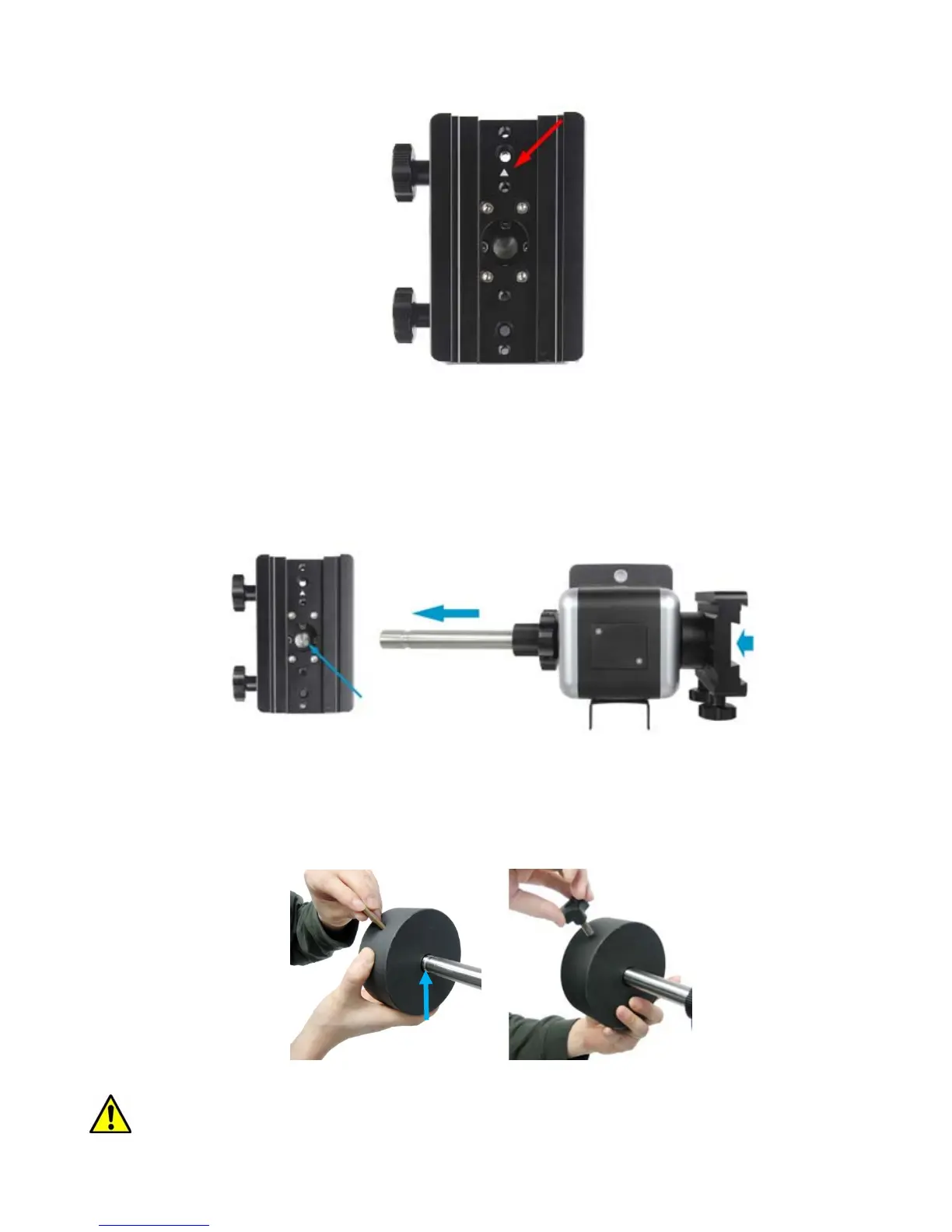
Make sure the altitude lock knob is tightened. Back out CW shaft lock screw slightly. Push the
CW shaft out of the mount from the center of the dovetail saddle. Retighten the CW shaft lock screw.
Figure 9 Push the counterweight shaft out from the mount
Slide the counterweight onto the CW shaft, with large opening hole facing inward, if the CW
has a stepped CW shaft hole. Insert the brass pin into the hole on the CW. Secure the CW by
tightening the CW lock knob. (The groove on the CW shaft is designed for secondary dovetail saddle
use.)
Figure 10 Install CW and CW lock
Warning: Counterweight is heavy. Please handle with care to avoid injury.
Groove



 To Next Page