28
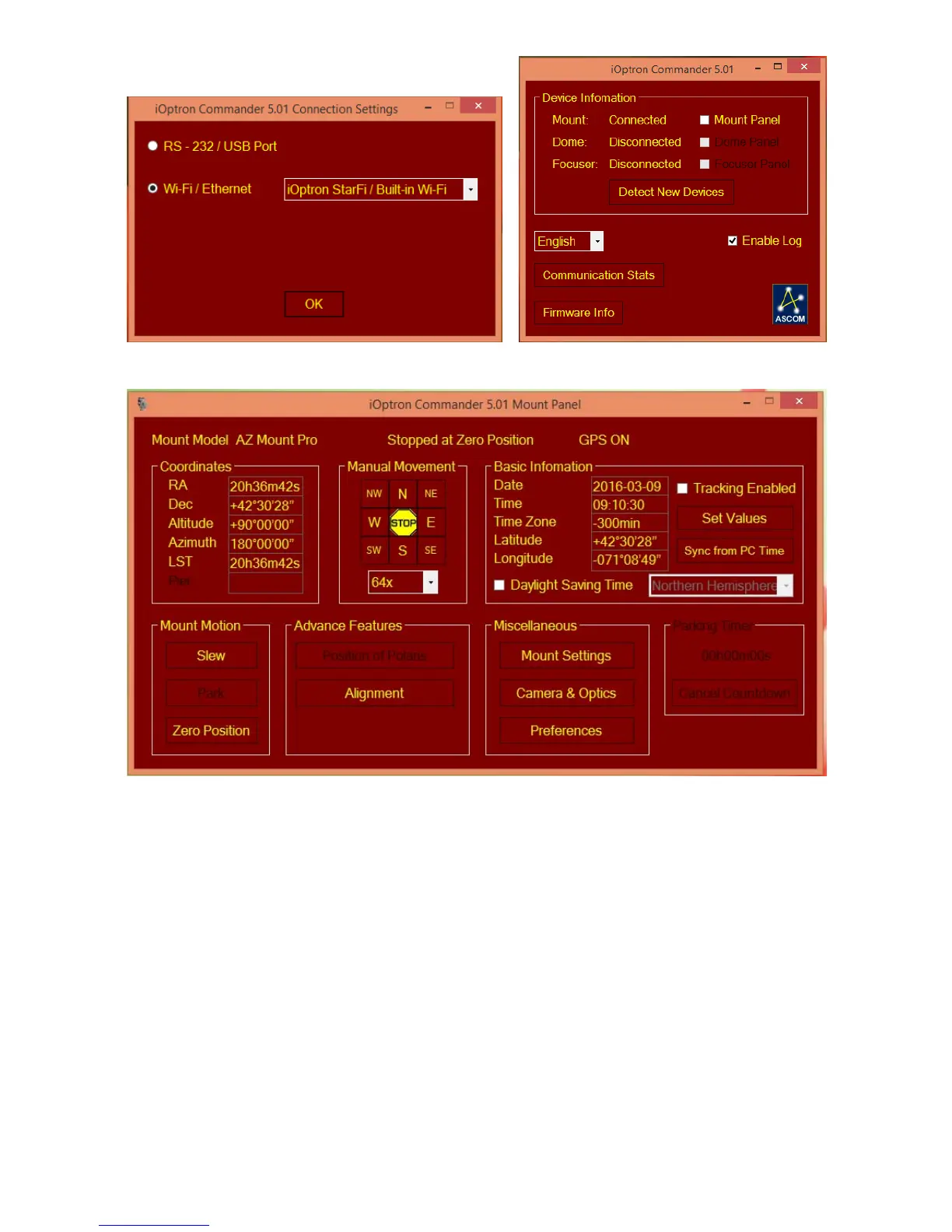
Figure 15 iOptron Commander Connection
Figure 16 iOptron Commander Mount Panel
Now you can use iOptron Commander to direct control the AZMP mount, or use your favorite
ASCOM compatible software to control the mount.
6.2.2. Mac OS
You need planetarium software that runs on Mac OS and has an embedded AZMP mount drive,
such as Sky Safari. Check the software for support information.
6.2.3. Tablet/SmartPhone with Sky Safari
The App needs be configured first.
Click on Settings.
Click on Setup.
Select Scope Type as iOptron CEM/iEQPro & 8407+ and Mount Type should be Alt-Az.
GoTo.
Turn off Auto-Detect SkyFi. Change the IP Address to 10.10.100.254 and Port Number to
8899. Click Done.



 To Next Page