7
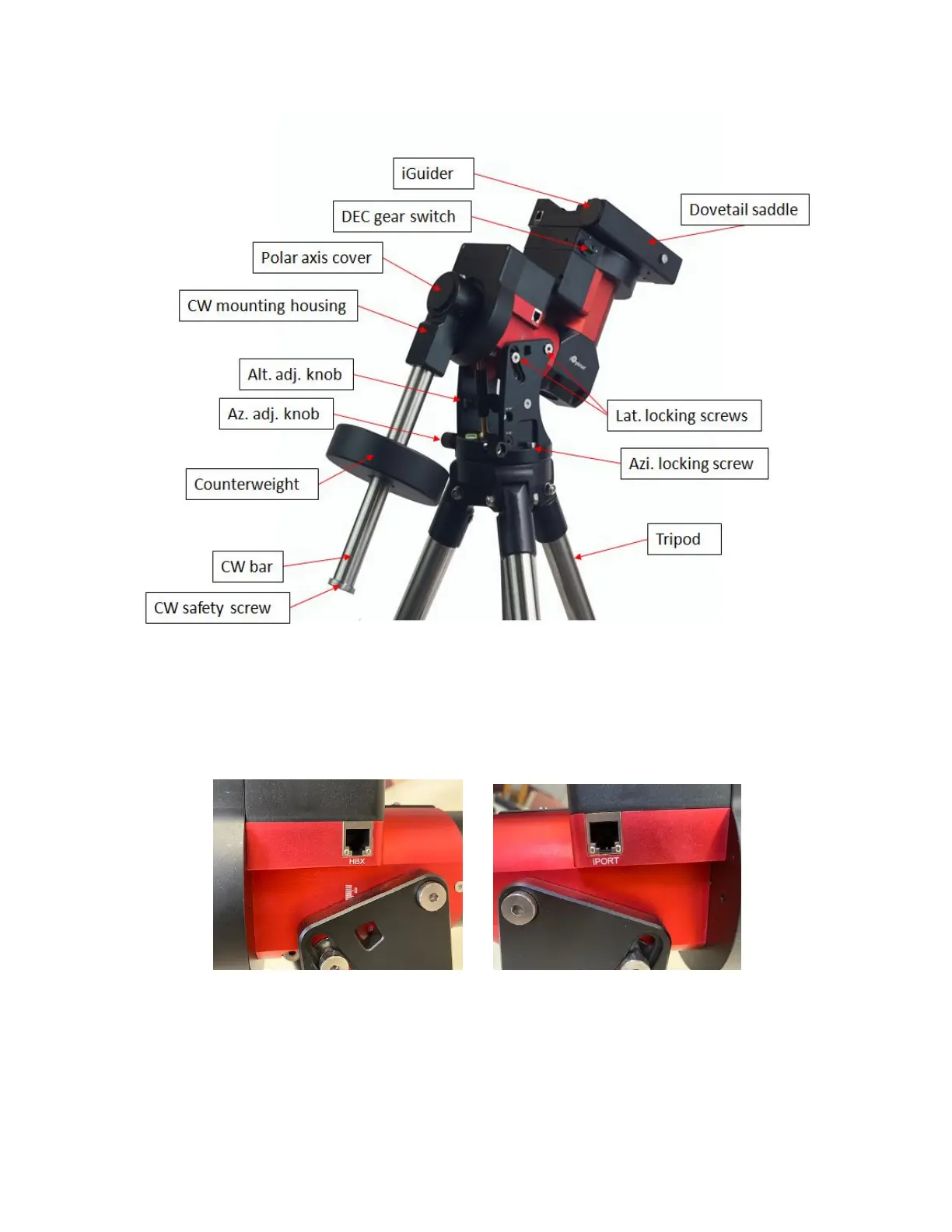
2.2. Identification of Parts
Figure 1.CEM40G mount assembly shown
2.3. CEM40 Mount Basic Cable Connection
2.3.1. Ports on Main Control Board
Figure 2. Ports on a CEM40 main board
HBX (Hand Box): For connecting to a Go2Nova Hand Controller
iPORT: Auxiliary port for connecting to other iOptron accessories, such as a GPS receiver, an
iStarFi wi-fi adapter, an electronic focuser or for observatory dome control. DO NOT plug ST-4
guiding camera cable into this port. It will damage the guide camera electronics.



 To Next Page