9
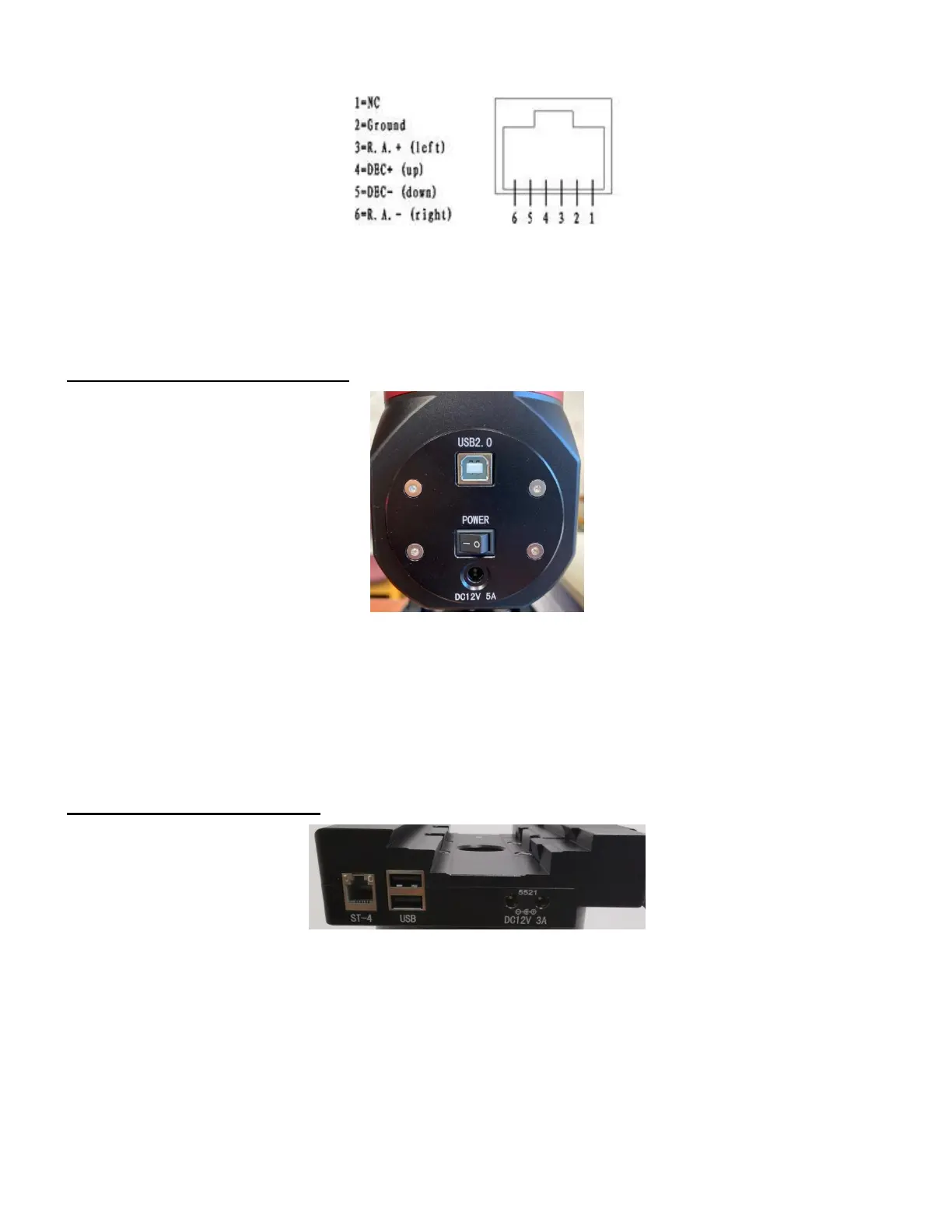
Figure 6. ST-4 Compatible Guiding Port Wiring
2.3.3. Other Ports on a CEM40/CEM40EC Mount
Power Panel on Rear of RA axis
Figure 7. CEM40G Power Panel on Rear of RA axis
POWER (I/O): Power Switch
DC 12V 5A: DC power socket to power the mount (2.5mmX5.5mm, center positive)
USB2.0: USB input port to connect to iPolar, iGuider, USB 2.0 Port on dovetail saddle, as well as
mount computer control and firmware upgrade.
Ports on the Dovetail Saddle
Figure 8. Ports on a CEM40/CEM40EC dovetail saddle
On the back of the dovetail saddle, there are following ports:
ST-4: ST-4 compatible autoguiding port. The wiring is shown in Figure 6;
USB: 2X USB2.0 ports with standard type A connectors for connecting accessory;
DC12V 3A: 2X DC12V power outlet (2.1mmX5.5mm, center positive, max. current 3A in total) for
powering accessories such as CCD cameras, filter wheels, or electric focusers



 To Next Page