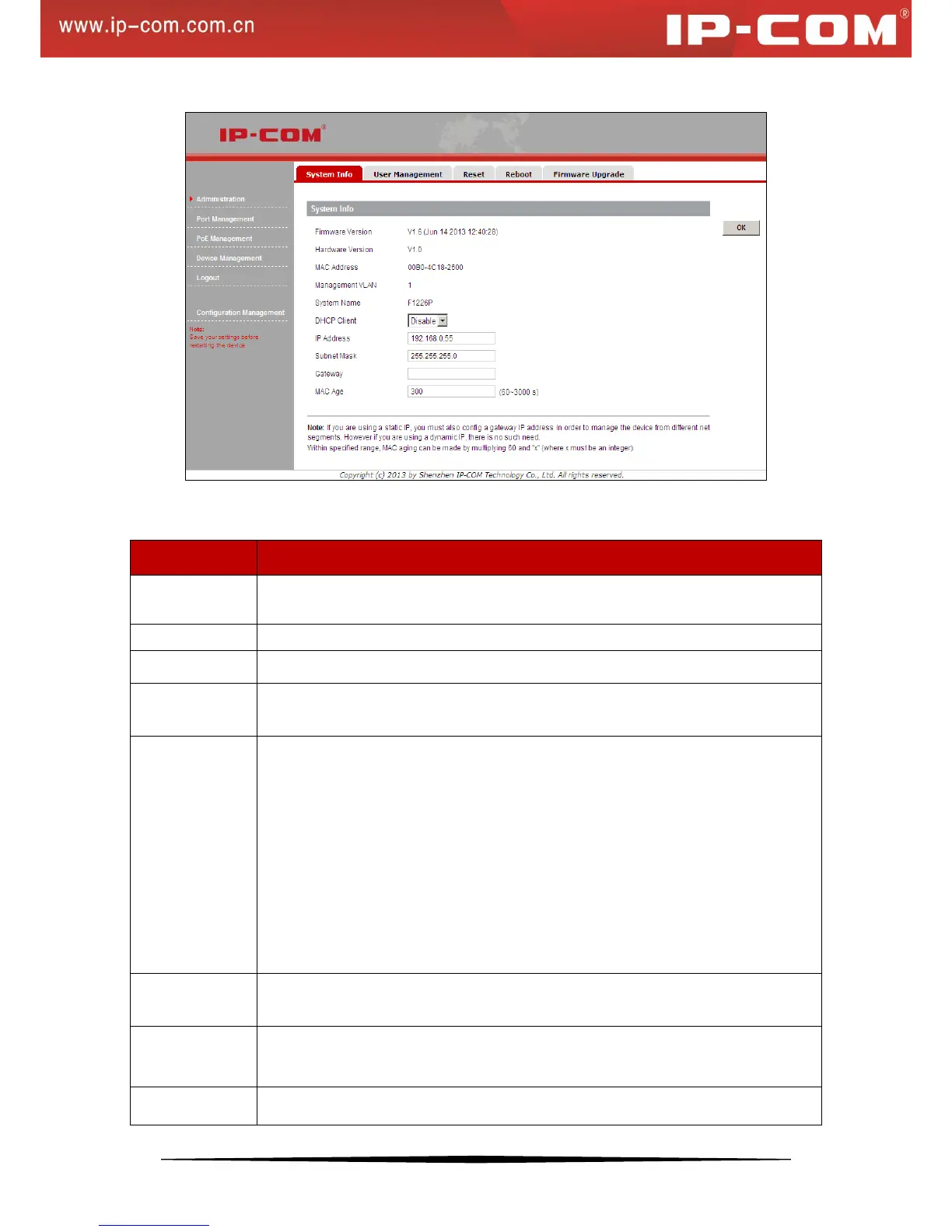
Enable DHCP client to obtain an IP address automatically from the DHCP server on
network. If the device fails to retrieve an IP address through DHCP, the previous IP
address will be used
Note the displayed IP address assigned by the DHCP server. You will need this value to
access the switch directly from a web browser. Do not enable it if you cannot access the
DHCP server to see the displayed IP address.
If your network has no DHCP service, you must disable the DHCP client and assign a
static IP address to your switch. You can also assign the switch a static IP address even if
your network has DHCP service.
Configure a static IP address, which will be used to access the switch's web manager.
The default is 192.168.0.1.


 To Next Page