22
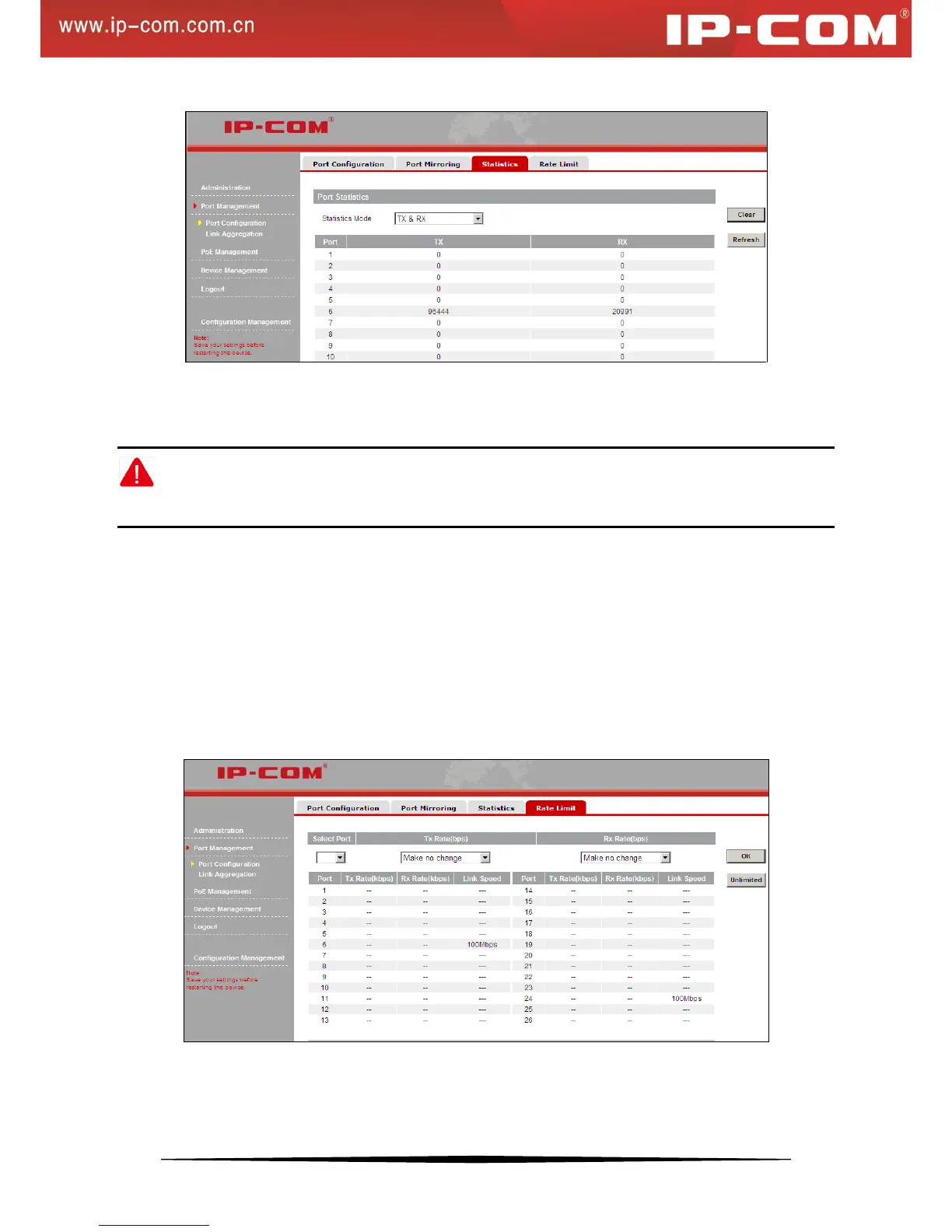
You can select what type of data to count, for example RX & TX, and system will count and display the number of
packets received & transmitted on each active port. Click Refresh to display updated statistic data or click Clear to
clear current statistic data.
Note:
Counters will clear the current statistic data and restart counting if statistic mode is changed.
4. Rate Limiting
Rate limiting is used to control the rate of traffic sent or received on a network interface. Traffic that is less than or
equal to the specified rate is sent, whereas traffic that exceeds the rate is dropped or delayed. It effectively avoids
excessive bandwidth utilization by some users so that other users can have a guaranteed share of the bandwidth to
enjoy a smooth network. It is useful for Internet cafés and community broadband environments.
Note that this feature is not applicable to the Gigabit ports 25-26.
To enter the interface below, click Port Management > Rate Limit.
Unlimited: Each port transmits and receives packets at an actual link speed.


 To Next Page