EasyManua.ls Logo

IP-COM F1226P - Logout

IP-COM F1226P
58 pages
Print Icon
To Next Page IconTo Next Page
To Previous Page IconTo Previous Page
Loading...
50
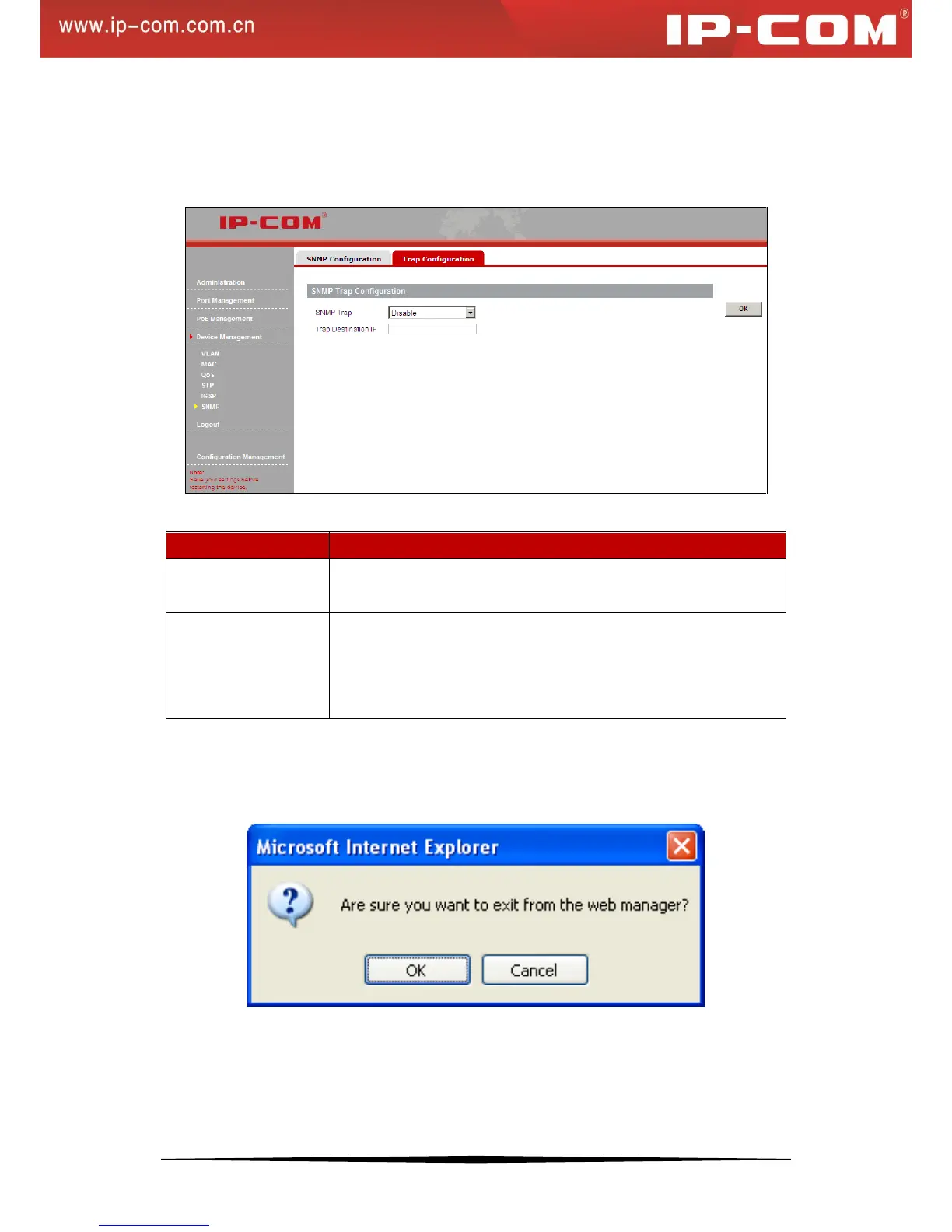
3. Trap Configuration
Click Device Management > SNMP > Trap Configuration to enter the screen below.
Here you can specify the destination IP address that trap messages are to be sent.
Fields on the screen are described below:
Field
Description
SNMP Trap
Trap is used to report urgent and important events (for example, a
managed device is rebooted.). This option is disabled by default
Trap Destination IP
Enter a destination IP address to which switch’s trap message is to be
sent. Trap message will not be sent if the Trap destination IP address is
invalid. The trap destination IP address should only indicate a single
host.
3.6 Logout
This section allows you to exit from the switch’s web manager safely.