EasyManua.ls Logo

IP-COM F1226P - Administration; System Info

IP-COM F1226P
58 pages
Print Icon
To Next Page IconTo Next Page
To Previous Page IconTo Previous Page
Loading...
13
loopback detection, Auto-Wakeup and Wakeup Time
Interval)
Port
Configuration
Configure priority and path cost settings for each port;
Display port role and status in spanning tree.
Configure IGMP snooping settings.
SNMP
SNMP
Configuration
Configure SNMP status, community name and
read/write settings.
Trap
Configuration
Enable/disable Trap and configure Trap destination host
IP address.
Logout
Exit from switch's Web manager.
Configuration
Management
Save/backup/restore settings.
3.2 Administration
This section describes configuring and managing maintenance options in the switch as seen in the screenshot
below:
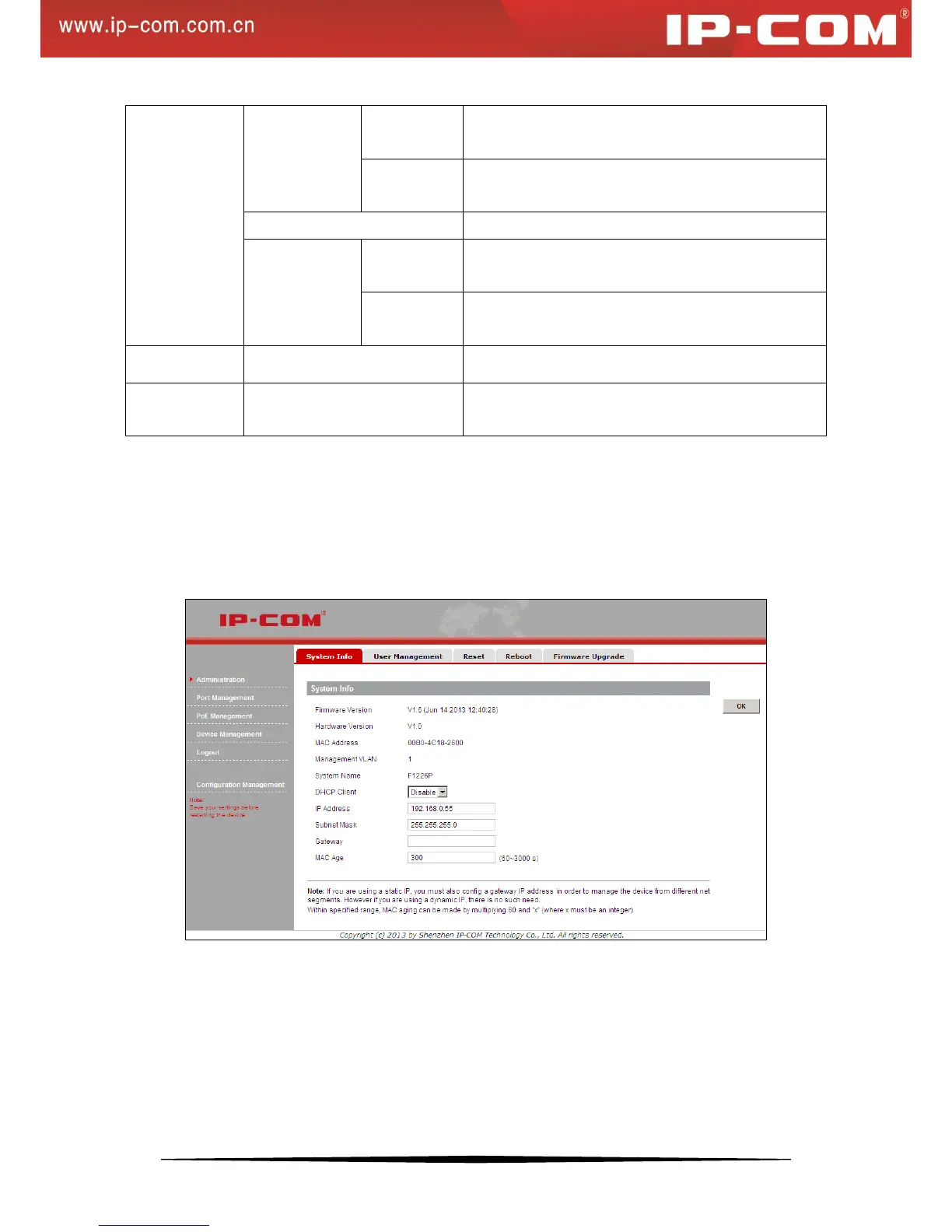
3.2.1 System Info
The System Info screen contains parameters for configuring or displaying general device information as seen
below: