44
through configuration. The three protocols are mutually compatible and no conflicts or network collapse will be
caused in spanning tree application.
3. STP Global Configurations
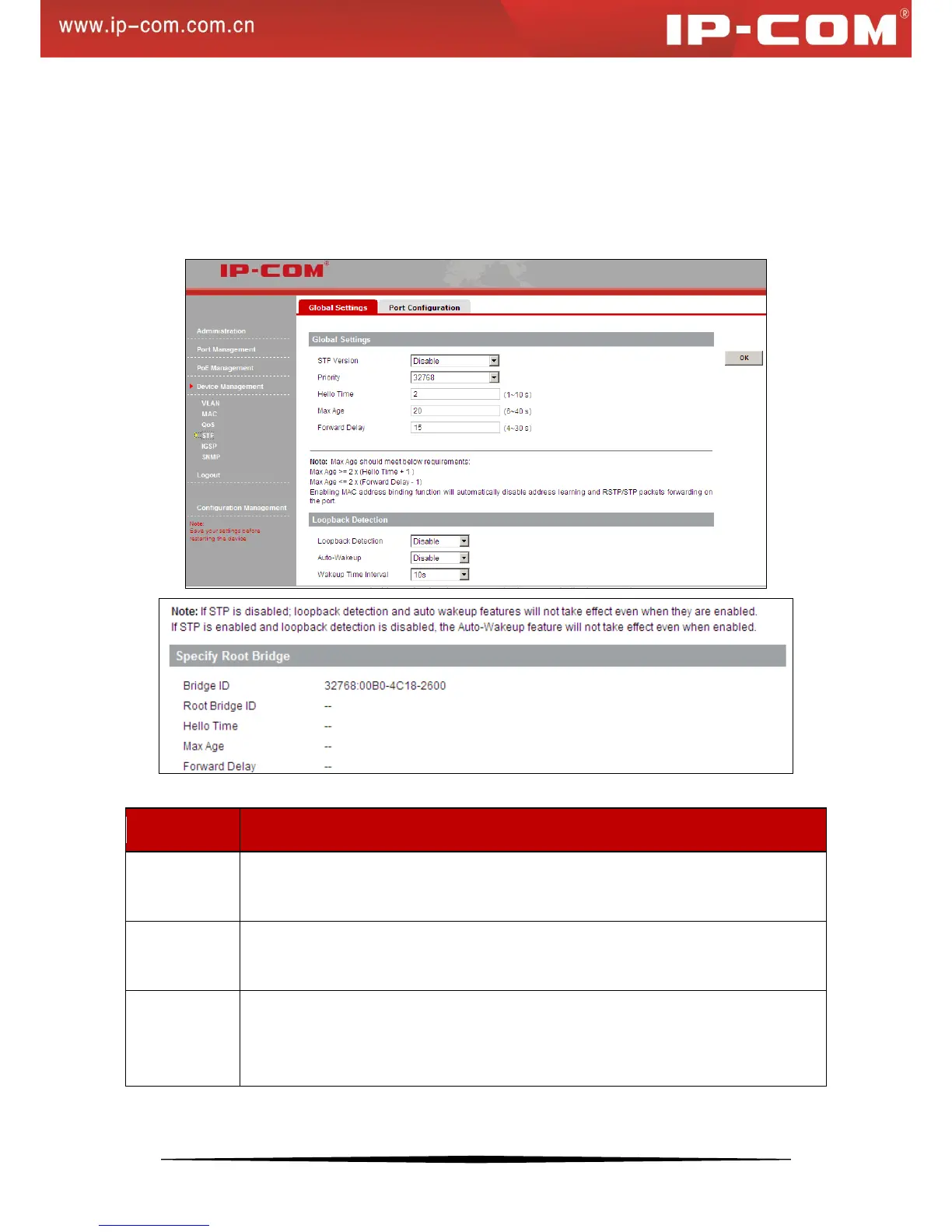
Click Device Management > STP > Global Settings to enter the screen below where you can configure STP
settings and enable/disable loopback detection feature.
Fields on the global setup section are described below:
Select the desired version of STP version: RSTP STP to eliminate loops on data link layer.
The default RSTP mode is recommended. By default, this option is disabled.
Bridge priority. Select a bridge priority value from 0~61440. The smaller the number, the
higher the priority.
The Max Age may be set to ensure that old information does not endlessly circulate through
redundant paths in the network, preventing the effective propagation of the new information.
You may choose a time between 6 and 40 seconds.


 To Next Page