802.11n lndoor Wireless Access Point
16
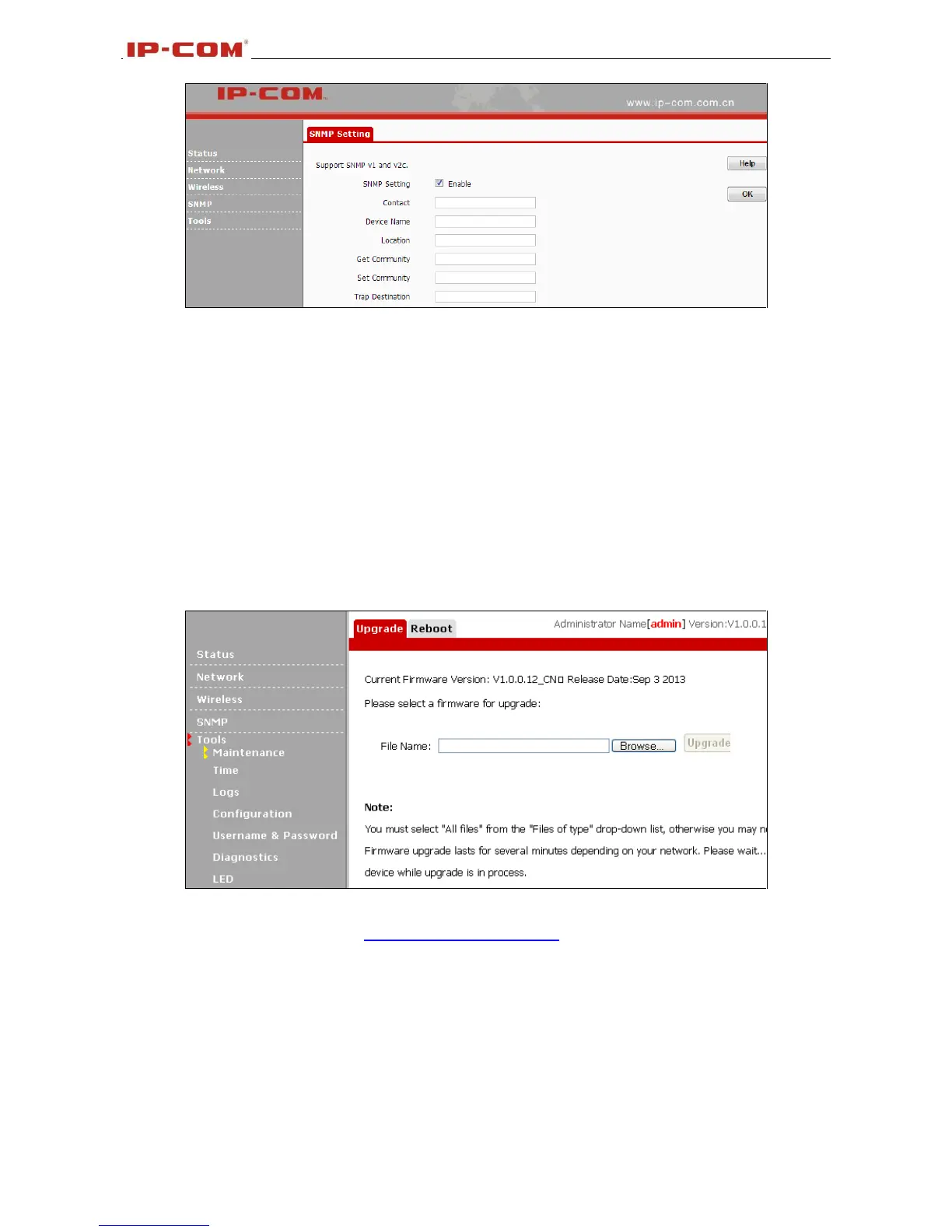
Click Enable to enable the SNMP feature.
1. Get Community: Specify a community for reading SNMP agent information;
2. Set Community: Specify a community for writing SNMP agent information.
3.6 Tools
3.6.1 Maintenance
Upgrade
Upgrade is released periodically to improve the functionality of your device or to add new features. If you
run into a problem with a specific feature of the device, log on to our website (http://www.ip-com.com.cn/)
to download the latest firmware to update your device.
Click Tools >Maintenance> Upgrade to enter the screen below:
To upgrade device software:
1. Open a web browser and go to http://www.ip-com.com.cn/ to download latest firmware.
2. Unzip the compressed upgrade file (.ZIP file).
3. Click Browse to locate and select upgrade file on your hard disk.
4. Click Upgrade to upgrade device firmware.
5. When the firmware upgrade completes, your wireless access point will automatically restart.
6. Restore the AP back to factory default settings after reboot.



 To Next Page