802.11n lndoor Wireless Access Point
4
Chapter 2 Installation
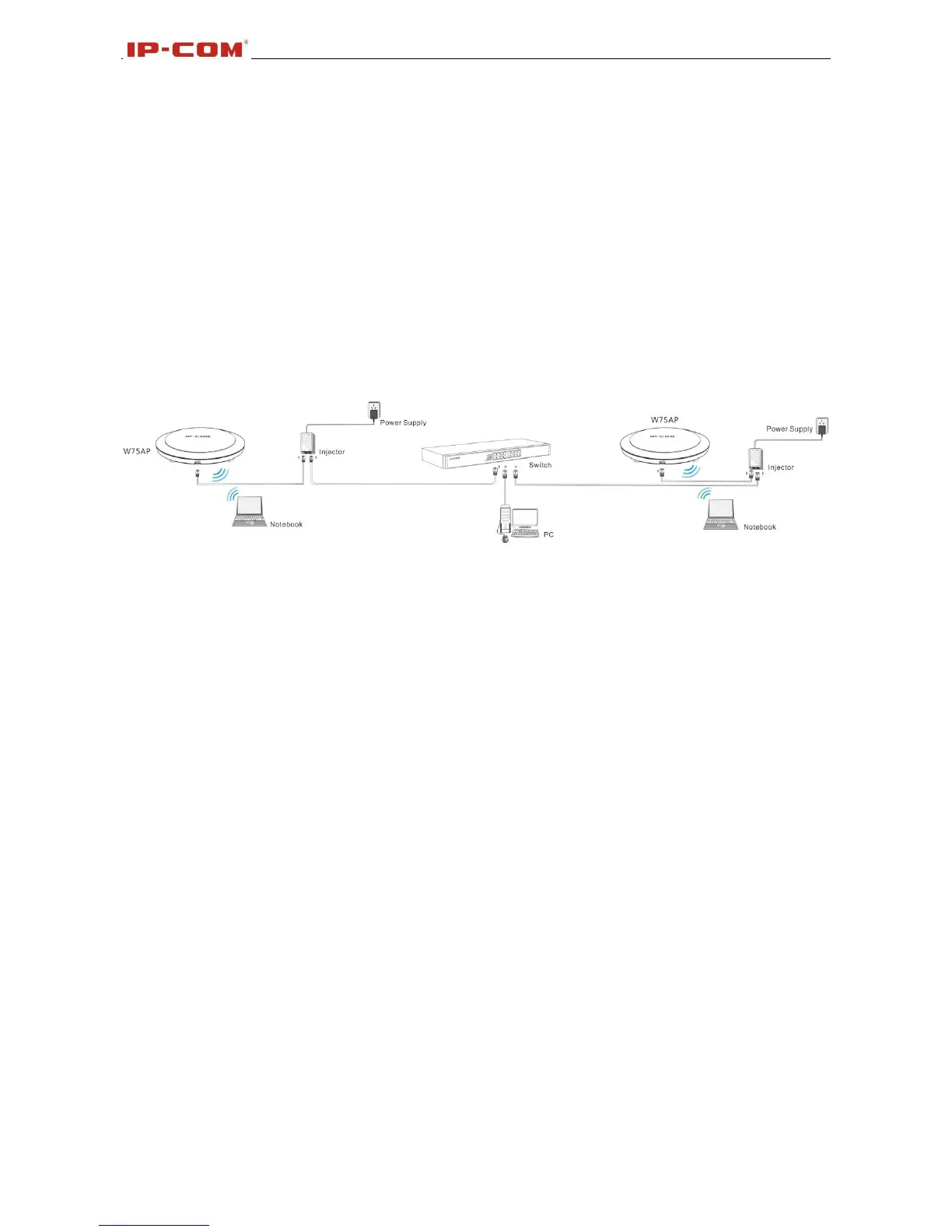
Installation procedures:
1. Connecting the Ethernet cable to the PoE port on this device.
2. Connecting the injector to the power adapter.
3. Connecting the PoE port of the injector to the PoE port on this device with Ethernet cable.
4. Connecting the LAN port of the injector to the switch.
5. Hang the AP:
⑴ Install the bracket onto the ceiling.
⑵ Fix the AP onto the bracket.
The network topology is shown below:



 To Next Page