802.11n lndoor Wireless Access Point
3
1.3 LEDs and Interfaces
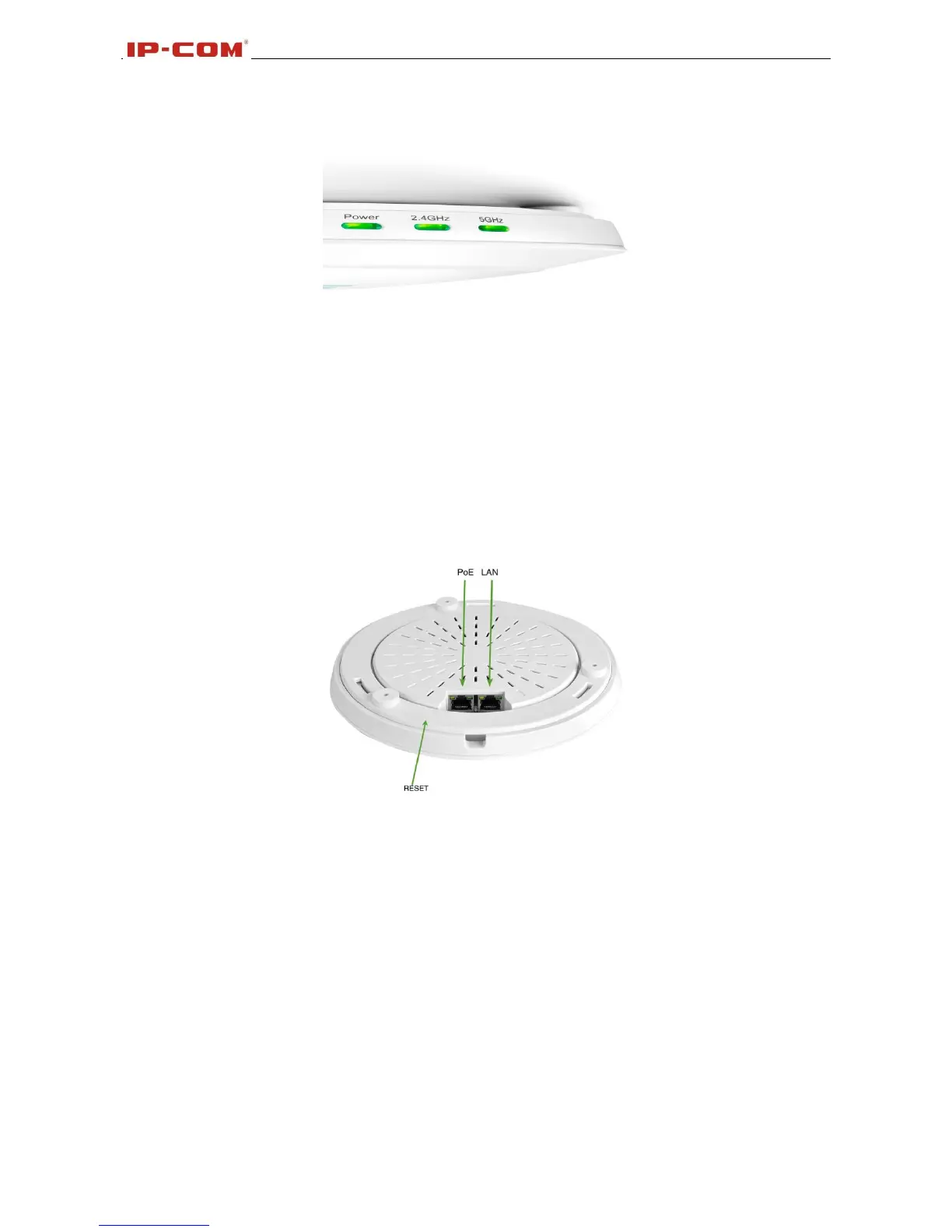
Side Panel:
Power
Solid: Receiving electrical power;
Blinking: Functioning properly;
Off: Receiving no electrical power or LED is disabled manually.
2.4GHz, 5GHz
Solid: Wi-Fi is enabled;
Blinking: Transferring data;
Back Panel:
RESET
Restores the device to the factory default settings when pushed and held for 7 seconds (This button has
been hidden by the bracket of this device. Before pressing this button, you should remove the bracket.).
PoE
PoE Port for connecting to power supply or connecting to IEEE802.3at switch;
LAN
1000M Ethernet Port for connecting to an Ethernet LAN device such as a PC or switch, etc.



 To Next Page