802.11n lndoor Wireless Access Point
24
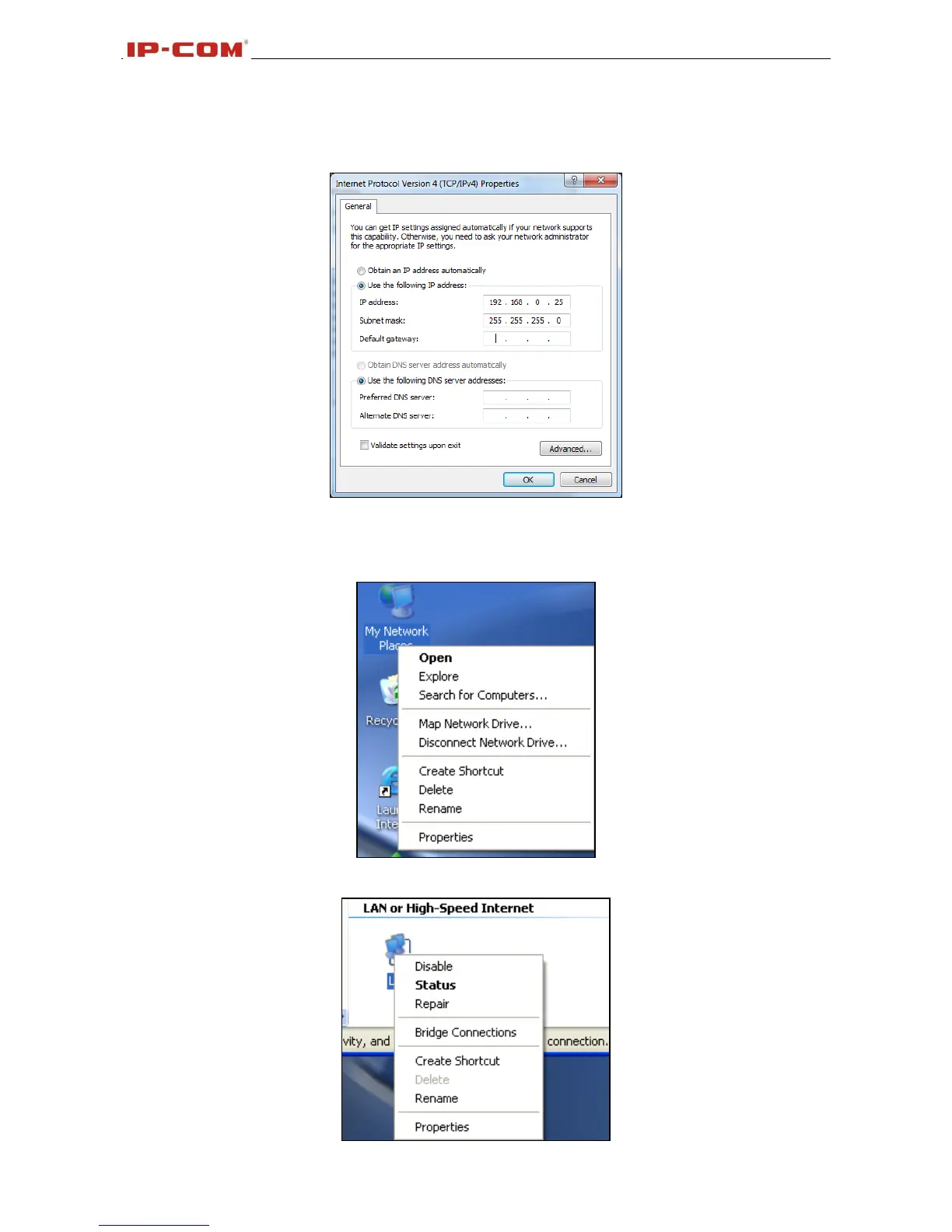
7. Select Use the following IP address, enter 192.168.0.X (where x can be any number between
1~253) in the IP address bar and 255.255.255.0 in the subnet mask and then click OK to save the
configurations.
Windows XP OS Configuration
1. Right click My Network Places and select Properties;
2. Right click Local and select Properties;



 To Next Page