802.11n lndoor Wireless Access Point
18
4. Copy Local Time: Copy time on your PC to the device.
Note -----------------------------------------------------------------------------------------------------------------------------
System time will be lost when the device is disconnected from power supply. However, it will be
updated automatically when the device reconnects to Internet.
-----------------------------------------------------------------------------------------------------------------------------------------
3.6.3 Logs
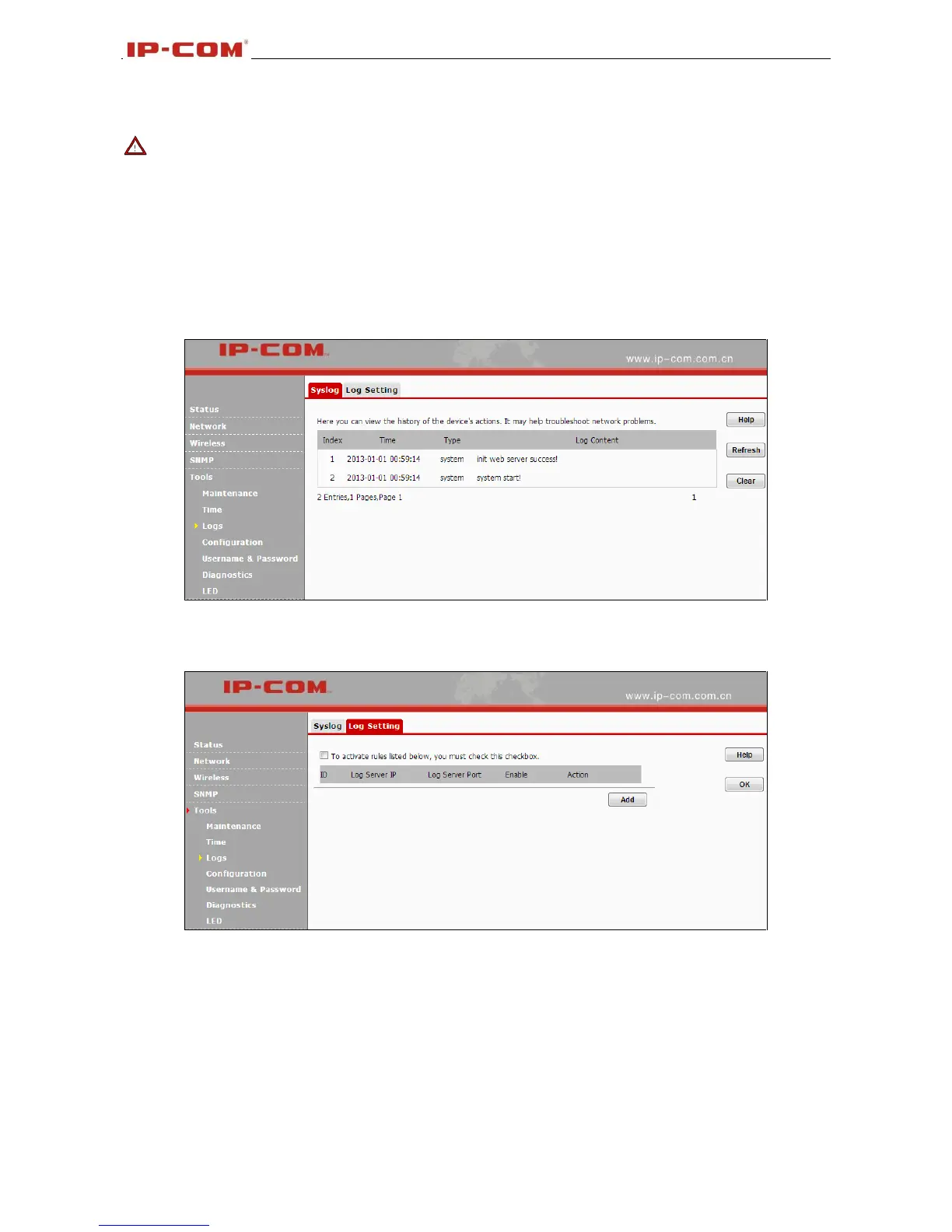
Syslog
Here you can view the history of the device's actions. Click Refresh to display the latest logs and or click
Clear to remove all logs.
Log Setting
Here you can set up number of logs and rules of log settings. Up to 300 entries can be logged. The
default is 150.
3.6.4 Configuration
Backup & Restore
This section allows you to save a copy of the device configurations on your local hard drive or to restore
the previous configurations back to the device.
1. Backup: Once you have configured the device the way you want it, you can save these settings to a
configuration file on your local hard drive that can later be imported to your device in case that the device
is restored to factory default settings. To do so, click the Backup button and specify a directory to save



 To Next Page