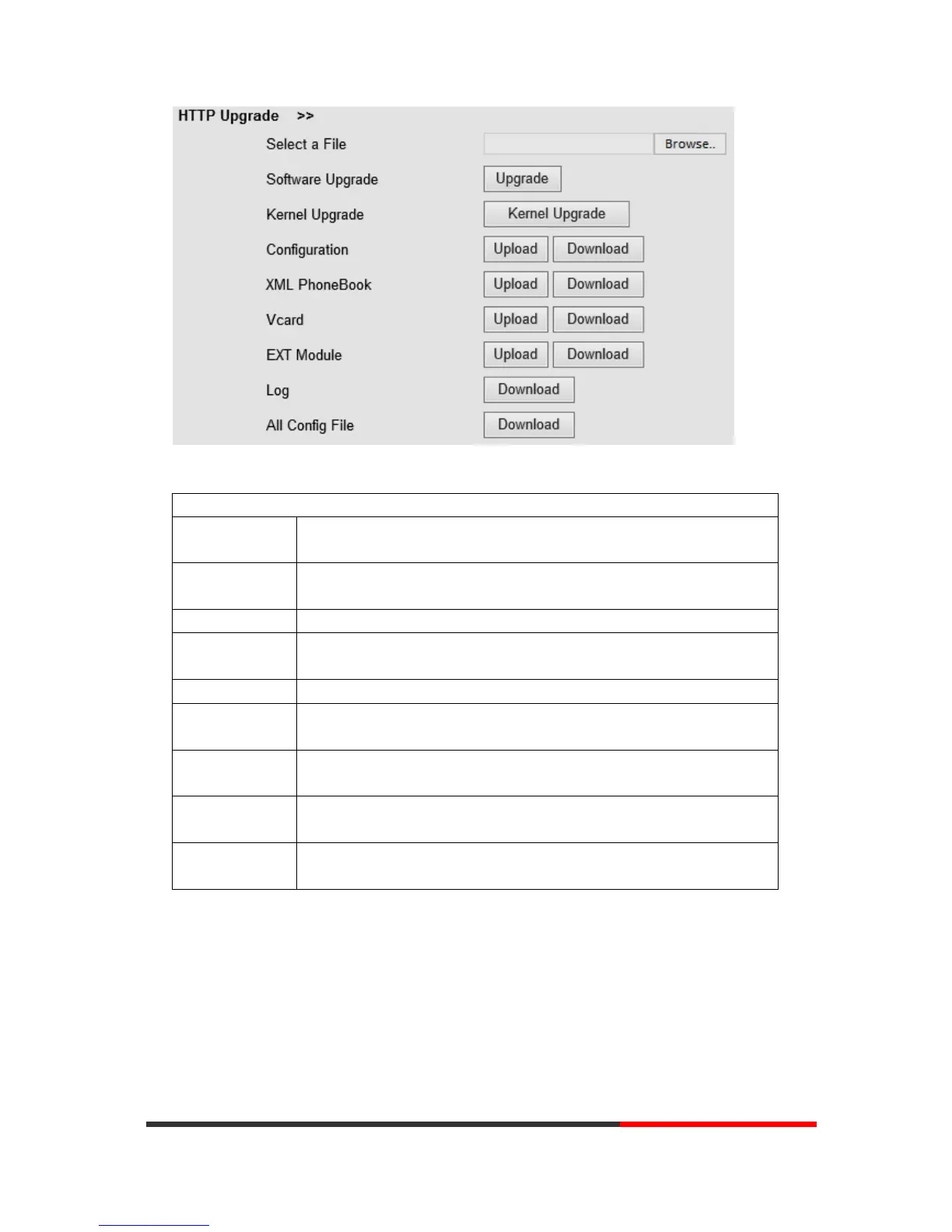
When using HTTP upgrade, you can set several parameters as follows:
Browse the software/kernel/configuration file which you need to upgrade
from HTTP
Used for upgrading the software of the phone
Used for upgrading the kernel of the phone
You can used upload/download to upload/download the configure file of
the phone
Used for uploading/downloading the XML phonebook of the phone
Downloading all contacts in the Vcard mode, but upload only support one
by one.
Used for updating/backup the expansion of the phone
[NOTES:The mode doesn't support this feature]
Used for the administrator to find out or making sure the problem with
this equipment.
All Config File includes: Configuration, Extern, Log, XML Phone book,
Enterprise Phone Book.
8.1.2
FTP Upgrade
You can upgrade the software, kernel and configure files by FTP.


 To Next Page