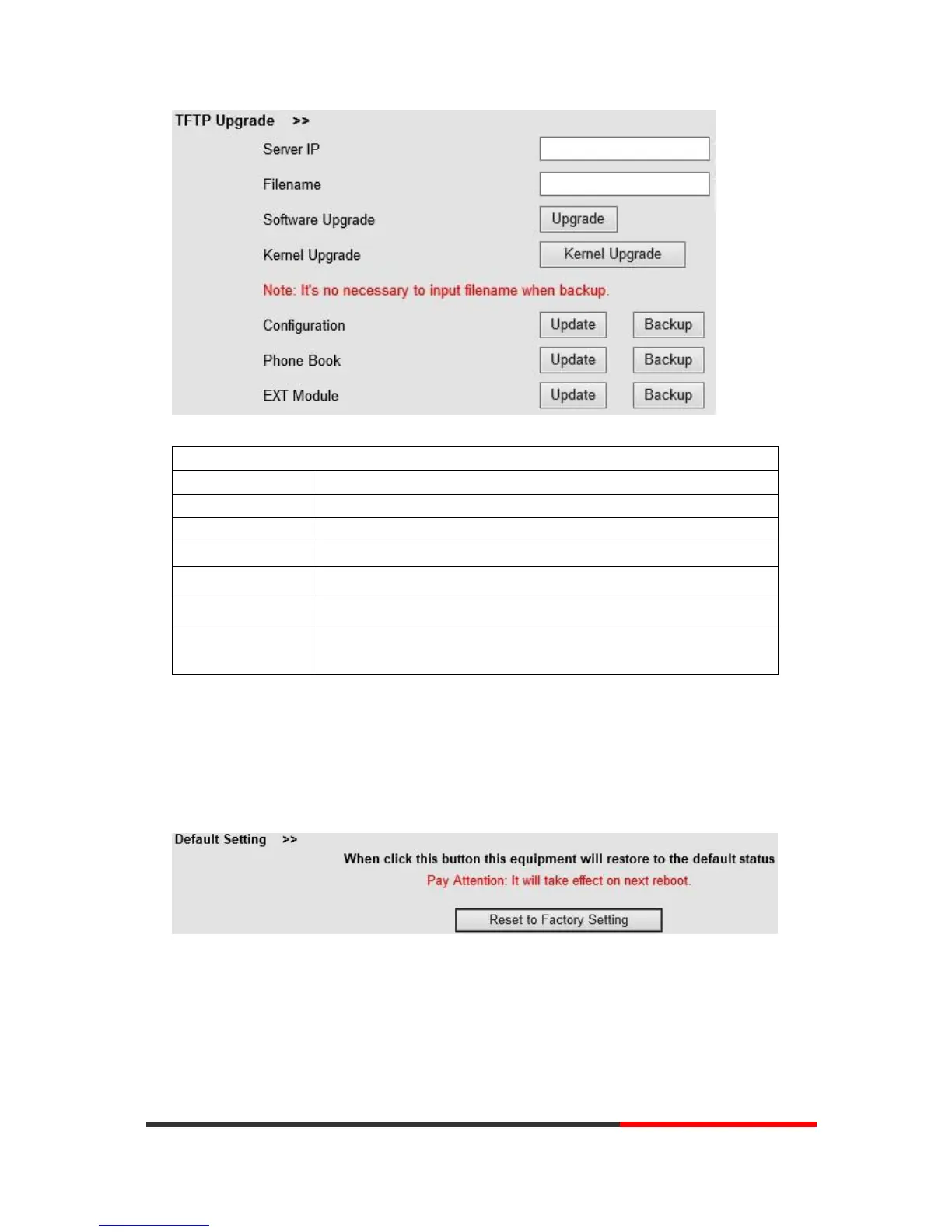
When use TFTP upgrade, you can set several parameters as follows:
The IP address of the TFTP server
Downloading from FTP server
Used for upgrading the software of the phone
Used for upgrading the kernel of the phone
Used for updating/backup the configure file of the phone
Used for updating/backup the phonebook of the phone
Used for updating/backup the expansion of the
phone
[NOTES:The mode doesn't support this feature]
NOTES: It's not necessary to input filename when doing backup Configuration, Phone
Book, EXT Module.
8.1.4
Default Setting
You can load the phone to the factory default setting in default setting option.
Press the ‘Reset to Factory Setting’ option, the phone will load to factory default setting on next
reboot.
8.1.5
Reboot
You can use reboot option to reboot the phone.


 To Next Page