Iridium Pilot User Manual 7
1: INTRODUCTION
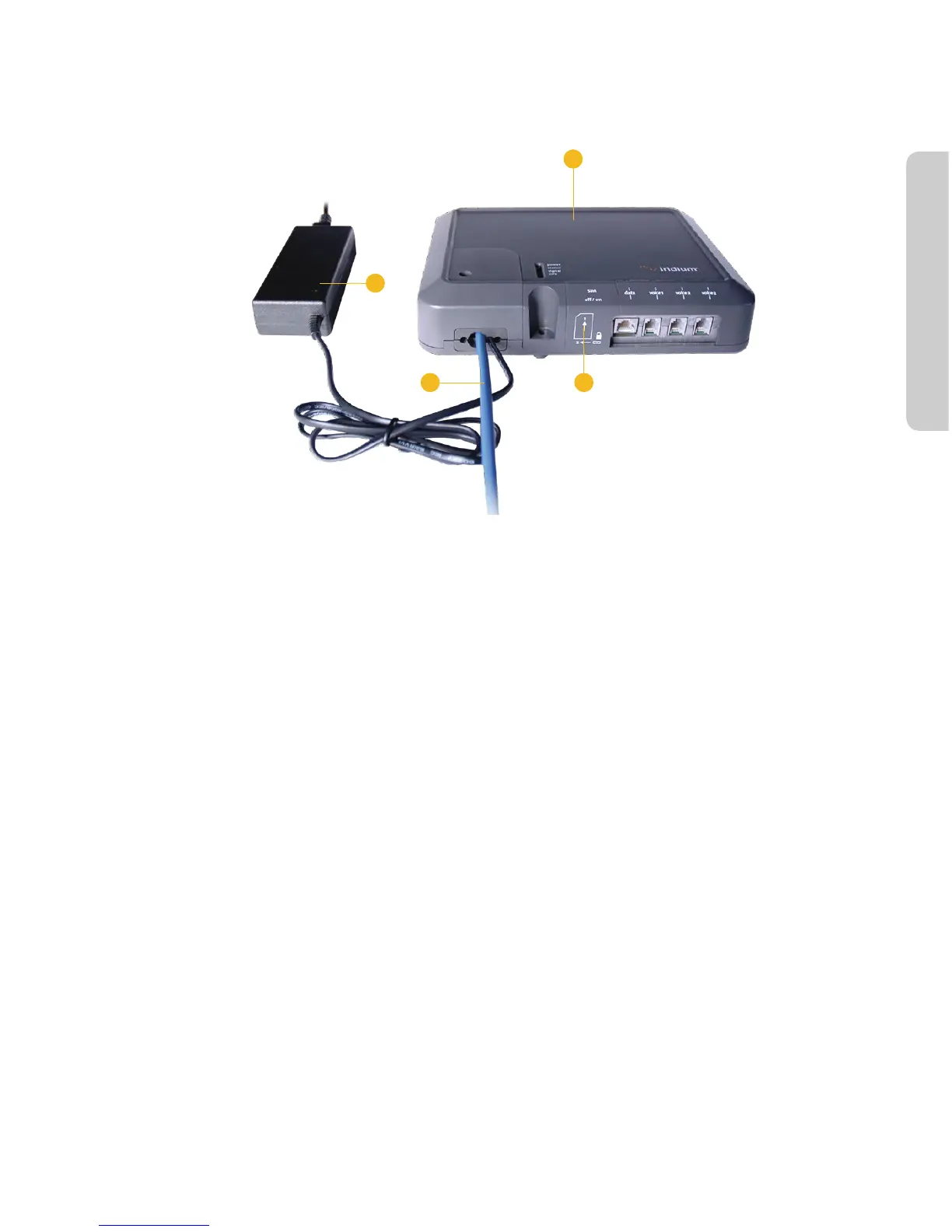
Below Decks Equipment
Figure 1.4
2
4
3 5
SIM card, reset button
and on/off switch are
located behind panel
2. Below Decks Equipment: The Below Decks Equipment (BDE) is the appliance to which you connect your
telephones and computers. It is capable of handling three POTS/RJ11 telephone handsets and one Ethernet
data connection.
3. ADE / BDE Cable: The cable connects the ADE to the BDE. It is shielded and has a waterproof connection for
the ADE.
4. AC Power Supply Unit: The AC Power Supply Unit (PSU) provides power to the BDE.
5. POTS Handsets (see page 5.2): Two handsets are provided with your Iridium Pilot Equipment: a Standard
Phone for installation on the bridge, and one Crew Phone, designed for quick access to Iridium GoChat™
Crew Calling services.
6. SIM: The assigned SIM card validates the system at start-up, allows connection to the Iridium network, and
enables the appropriate phone and data lines.
1.6.3ProductSpecications
See Appendix B for product specications.



 To Next Page