3: SyStem CONFIGURAtION
Iridium Pilot User Manual 27
3.7 Firewall (Available in versions AO12001 and higher)
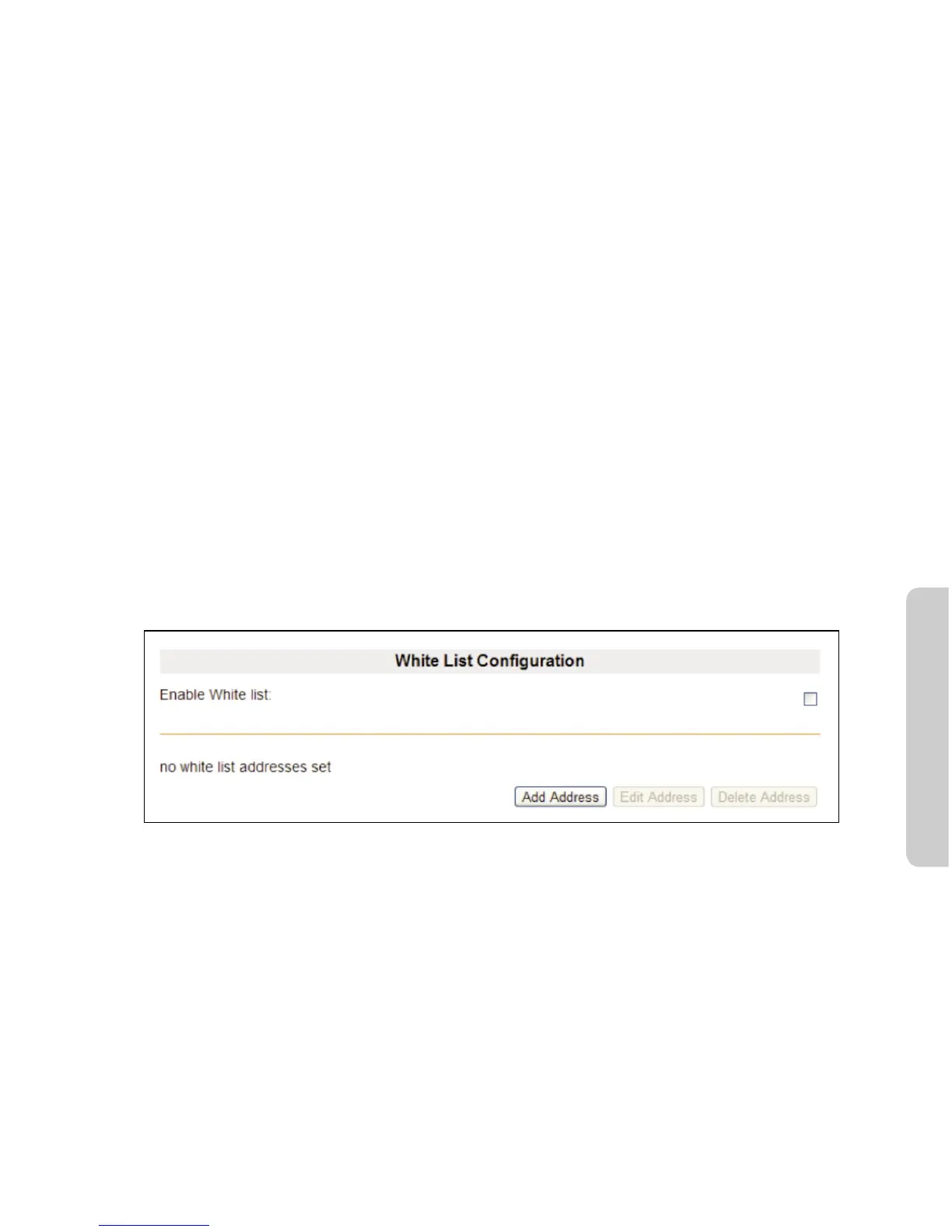
The Iridium Pilot comes with an integrated Firewall, referred to as the Iridium Pilot ISU IP address white listing
feature. There is an associated web interface to assist in conguring the feature. When the system is shipped,
the default setting is for the feature to be disabled.
When enabled, the IP address white listing feature restricts mobile originated IP links to the set of IP addresses
specied in the white list. Mobile terminated links are allowed from any IP address.
The maximum number of IP addresses that can be specied in the white list is 12.
If you are using Static IPs for DNS, or Iridium DNS servers, then the addresses must be added to the White List
ltering. For Iridium DNS servers use:
- 10.20.20.30
- 10.20.20.40
Otherwise, the end user is unable to utilize a domain name, since the lookup to the DNS servers will be
blocked. Due to this requirement, the maximum number of entries is 10, since there are 2 DNS servers.
Conguration of the white list is performed through the Pilot ISU’s conguration web page under admin or
gateway login.
To access the IP address white list conguration:
1. Login to the ISU to congure as either admin or gateway.
2. Navigate to the Conguration web page.
3. On the page you will see the White List Conguration section:
Windows and Windows XP are either registered trademarks or trademarks of Microsoft Corporation in the United States and/or
other countries.



 To Next Page