2: GettinG Started
Iridium Pilot User Manual 11
2.3 Phone Connection
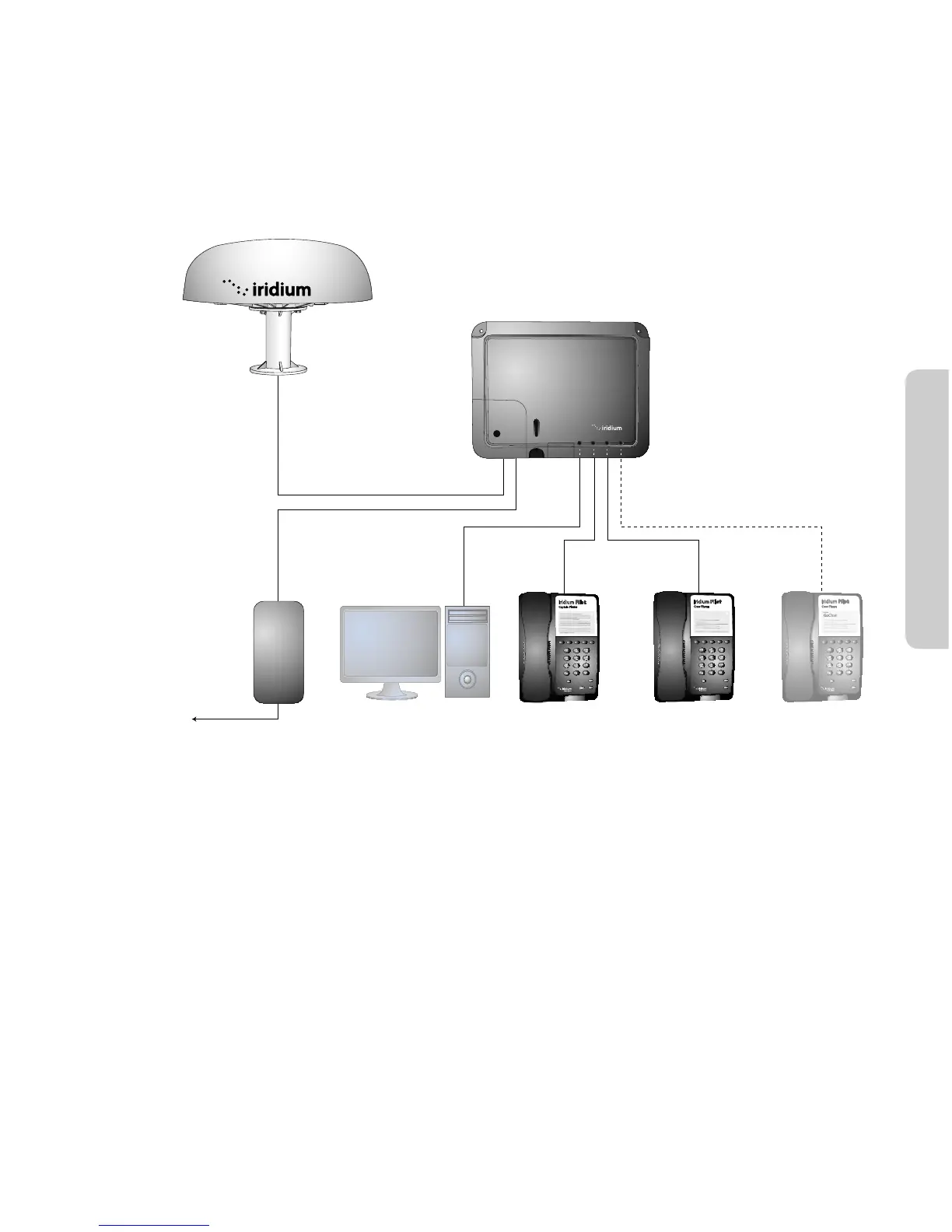
The BDE provides three connectors for POTS handsets, which can be used simultaneously. In order to make or
receive a phone call you must have a valid SIM installed in the BDE.
Connect the handsets to the RJ-11 ports on the BDE.
Iridium Pilot
™
Interconnection Diagram
Interconnect
Cable
(up to
90 meters)
Power Module
Mains
Power Cord 2 m
User Supplied
Computer and
Ethernet Cable
Captain’s Phone
& 2 m RJ-11 Cable
Crew’s Handset
& 2 m RJ-11 Cable
Optional
Handset
Above Decks Equipment
Below Decks Equipment
power
status
signal
sim
o / on
data voice
1 voice 2 voice 3
GPS
1
2
3
6
5
4
7
8
9
0
#
*
ABC
DEF
MNO
JKL
GHI
PQRS
TUV
MUTE
VOL
REDIAL
SPKR
Iridium Pilot
Captain Phone
1
2
3
6
5
4
7
8
9
0
#
*
ABC
DEF
MNO
JKL
GHI
PQRS
TUV
MUTE
VOL
SPKR
Iridium Pilot
Crew Phone
Iridium
GoChat
1
2
3
6
5
4
7
8
9
0
#
*
ABC
DEF
MNO
JKL
GHI
PQRS
TUV
MUTE
VOL
SPKR
Iridium Pilot
Crew Phone
Iridium
GoChat
2.4 Connection Check
Check all connections before powering the system on.



 To Next Page