2: GettinG Started
Iridium Pilot User Manual 9
Section II – GETTING STARTED
2.0 Getting Started
2.1 SIM Installation
Steps
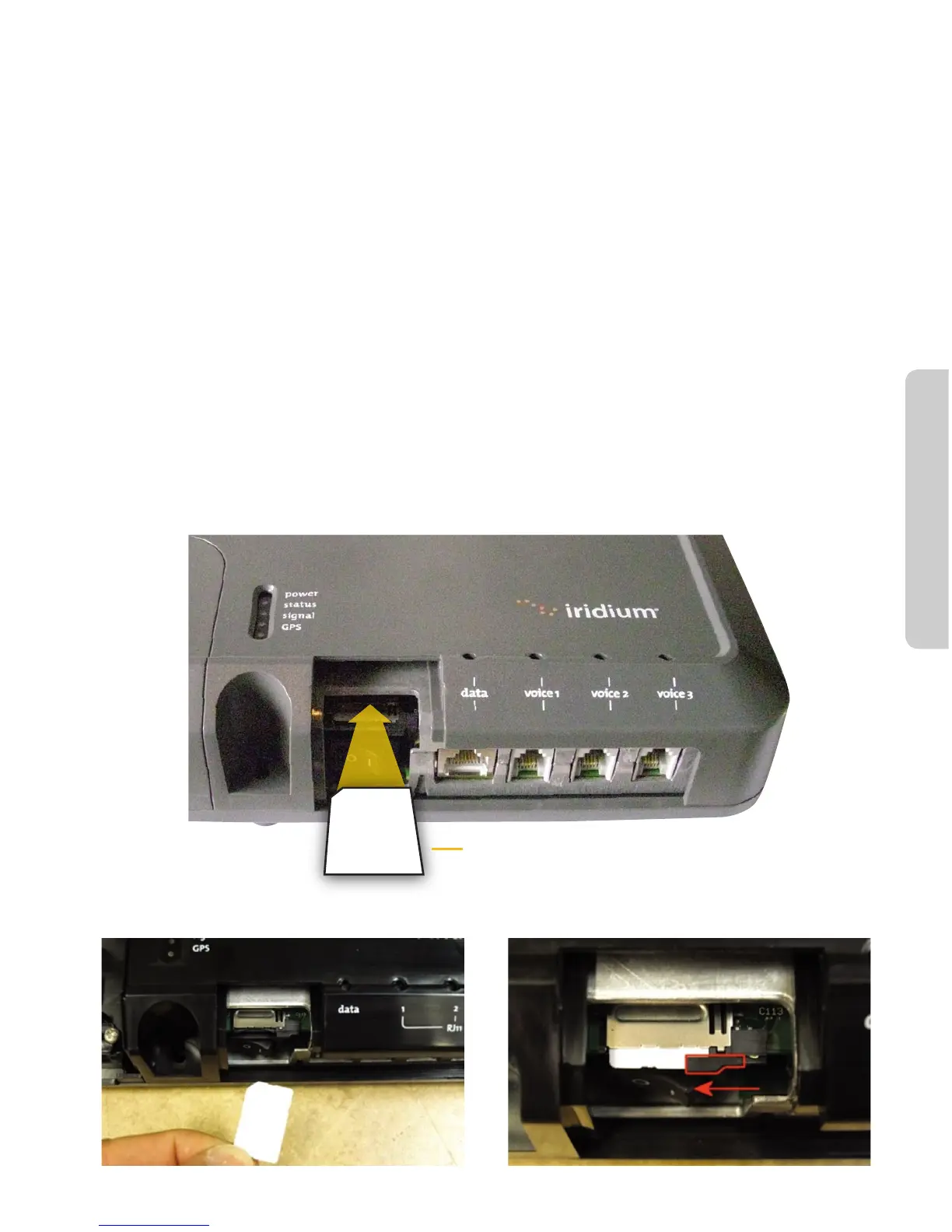
1. Remove SIM cover (retain somewhere safe) and ensure ON/OFF switch is in OFF position.
2. Insert suitable SIM card and slide the locking tab across (see Figures 2.1, 2.2, 2.3).
a. Note: If the SIM card is removed or unlocked during operation any voice or data calls will be
terminated immediately.
3. Power on and replace the SIM cover.
4. Connect computer/router via Ethernet port.
5. Connect phones and/or PBX via RJ11 ports.
6. Check all connections.
Figure 2.1
Insert OpenPort SIM card
Slide Locking Tab
Figure 2.2 Figure 2.3



 To Next Page