2: GettinG Started
14 Iridium Pilot User Manual
2.7 SIM Validation & LED Indicators
In order to access the Iridium network the BDE must have a valid SIM card installed. The number and type
(“Standard” or “Crew”) of voice lines available is set when your Service Provider provisions (enables) the
SIM card.
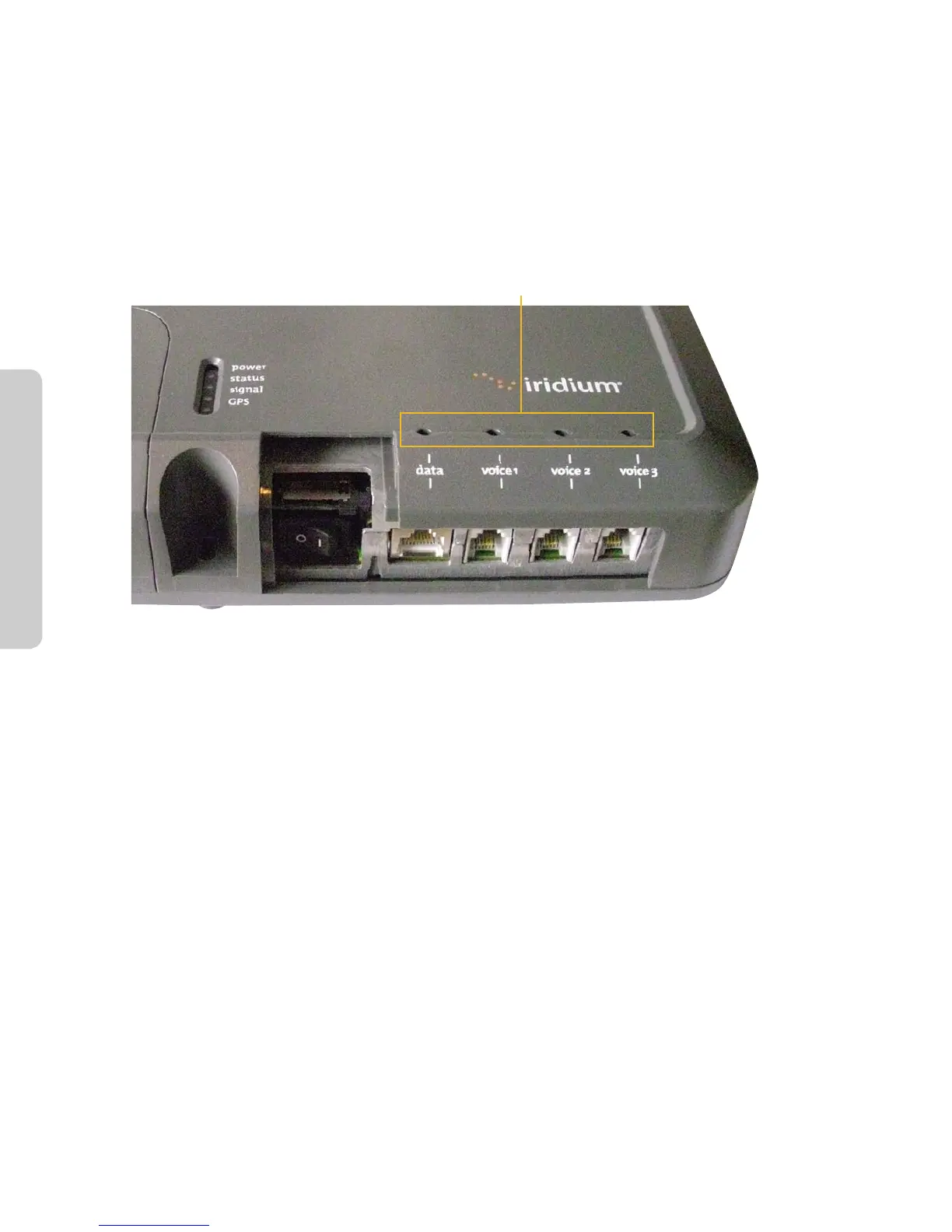
The BDE will indicate (illuminate green) the lines that have been provisioned.
Figure 2.7
Provisioned lines will illuminate green
For example: There are three phone lines available but you choose to only provision one of them. Upon
system activation only one phone line will be available.
Your service provider is the only party capable of provisioning voice and data lines. Contact your service
provider to add or delete phone and data lines. Once the service provider has provided the appropriate
line(s), this information is automatically downloaded to the Iridium Pilot the next time you access
the network.
Note: If the SIM card is removed or unlocked during active voice or data calls, they will be terminated
immediately. In this case, the SIM must be reinserted and SIM card slide locking tab must be in its correct
position, then the BDE unit must be powered on/o again to be reactivated.
Check LEDs as expected :
• PowerLEDisgreen;powerisbeingprovidedtotheBDEanditisswitchedon.
• StatusLEDisamber(greenwheninuse);BDEandADEcancommunicate,idle.
• SignalLEDisamberorgreen;ISUcanseesatellitenetwork(red=nosignal,amber=marginalsignal,
green=acceptablesignal).
• GPSLEDisgreen;ISUknowswhereitis.



 To Next Page