4: SyStem OperatiOn
Iridium Pilot User Manual 43
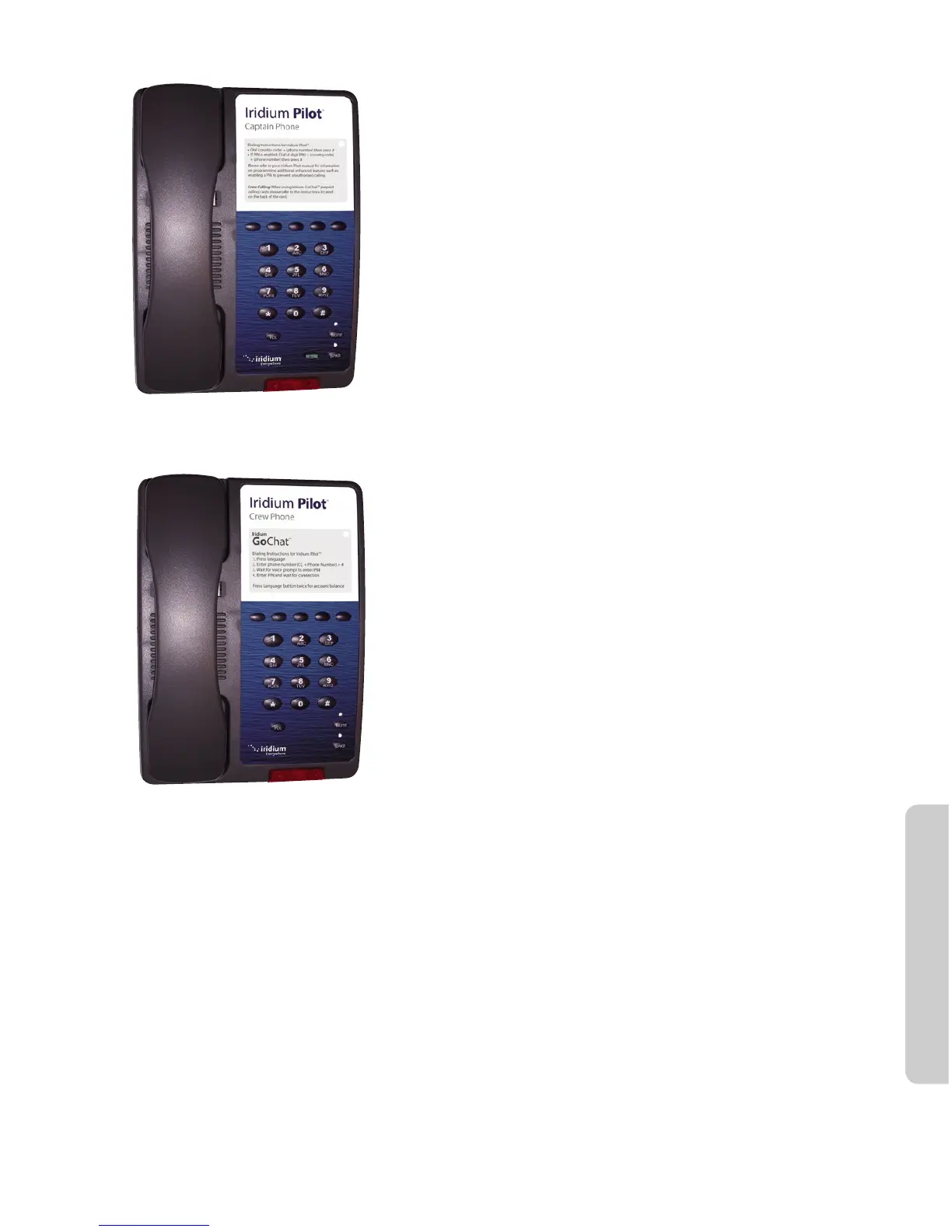
Normal Handset
& 2 m RJ-11 Cable
Crew’s Handset
& 2 m RJ-11 Cable
Standard Handset
The 3 handset interfaces are POTS interfaces, with RJ11
connectors. The Iridium Pilot unit’s audio has been optimized to
work with the handsets provided by Iridium.
Has to be connected to a line that has been provisioned as
standard line.
Normal dialing (no “+” or “00” required)
Message waiting light
The Captain’s handset can have a pin enabled in provisioning if
the user desires.
Can receive MT calls.
Crew’s Handset
Iridium has a crew phone available with pre-programmed
language buttons for use with scratch cards.
Has to be connected to a line that has been provisioned as
‘crew’ line.
Emergency calls are supported.
These handsets can ONLY make scratch card calls. There
are controls in the ISU to
block other call types.
MT calls not supported
Normal Dialing
(No ‘+’ or ‘00’ required)
Voice Call from Handset
A voice line can be congured to one of two line types, A crew line which must use an Iridium Pilot Crew
handset, or a Standard line:
Follow these steps when calling from a Standard line:
1. Connect the handset to the BDE.
2. Type in the country code, the phone number required, ending with the # key.
For example:
country code + local phone number + #



 To Next Page