5: TROUBLESHOOTING
Iridium Pilot User Manual 53
• Oncethetestisstopped,clickonFile->SaveAstocreatea.csvleofthedata.Thisoutput.csvlecanthen
be analyzed and interpreted by Iridium.
• Thesurveywillrecordthemaxandmeanforthereceivedsignalstrengthindicator(RSSI)thatit“hears.”Itwill
do this on each channel across all 7 antenna elements.
• SpikesintheresultinggraphindicatechannelsunavailabletoIridiumPilotduetoothersourcestransmitting
on them. The more spikes, the more RF interference present.
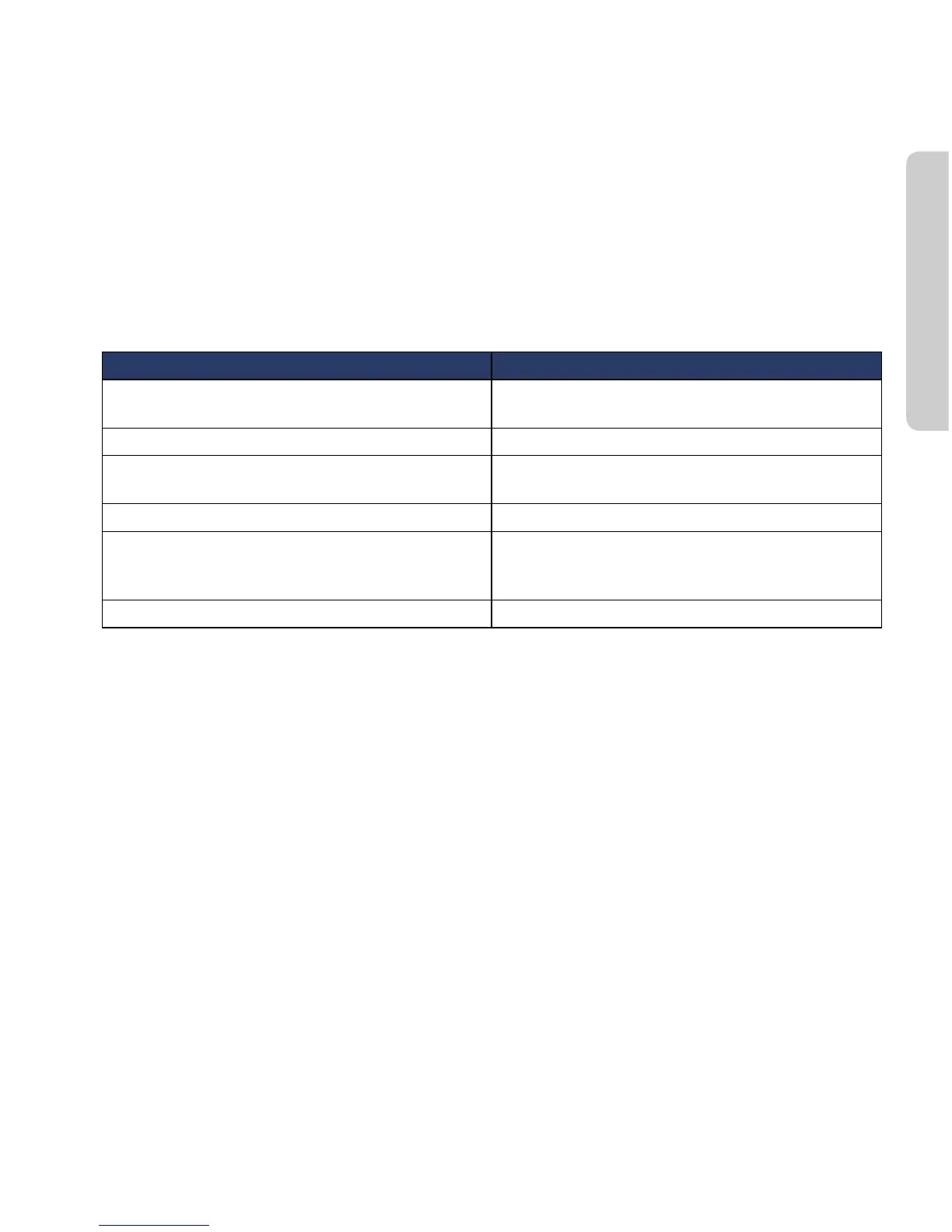
Access Denied
Denial of access will be indicated by the voice and data LEDs on the BDE illuminating Amber. Access to the
Iridium network may be denied for a number of reasons. The following items contain information that you may
be asked to provide when contacting your service provider.
Reason Suggested Action
TMSI invalid Unit will automatically try to access the network
using the IMSI.
IMSI invalid Call service provider.
Authentication Failure Check SIM status on Status web page, check using a
valid SIM card. If all ok call service provider.
IMEI Blacklisted Call service provider
Indeterminable Location Check GPS LED on BDE. If LED is green, check GPS
status on web page. Contact Service Provider with
this information and denial information.
Restricted Area Wait until move into different geographical area
Antenna Utility (Available in versions AO12001 and higher)
The Antenna utility allows you to eectively troubleshoot and identify antenna shadowing or interference
problems.
The Antenna utility requires Admin login. You must login as Admin from the Diagnostics page of the IBSU GUI
in order to see the Antenna array (see Figure 3.6).



 To Next Page