28
BROWSER/IMAGE VIEWER
Basic operation
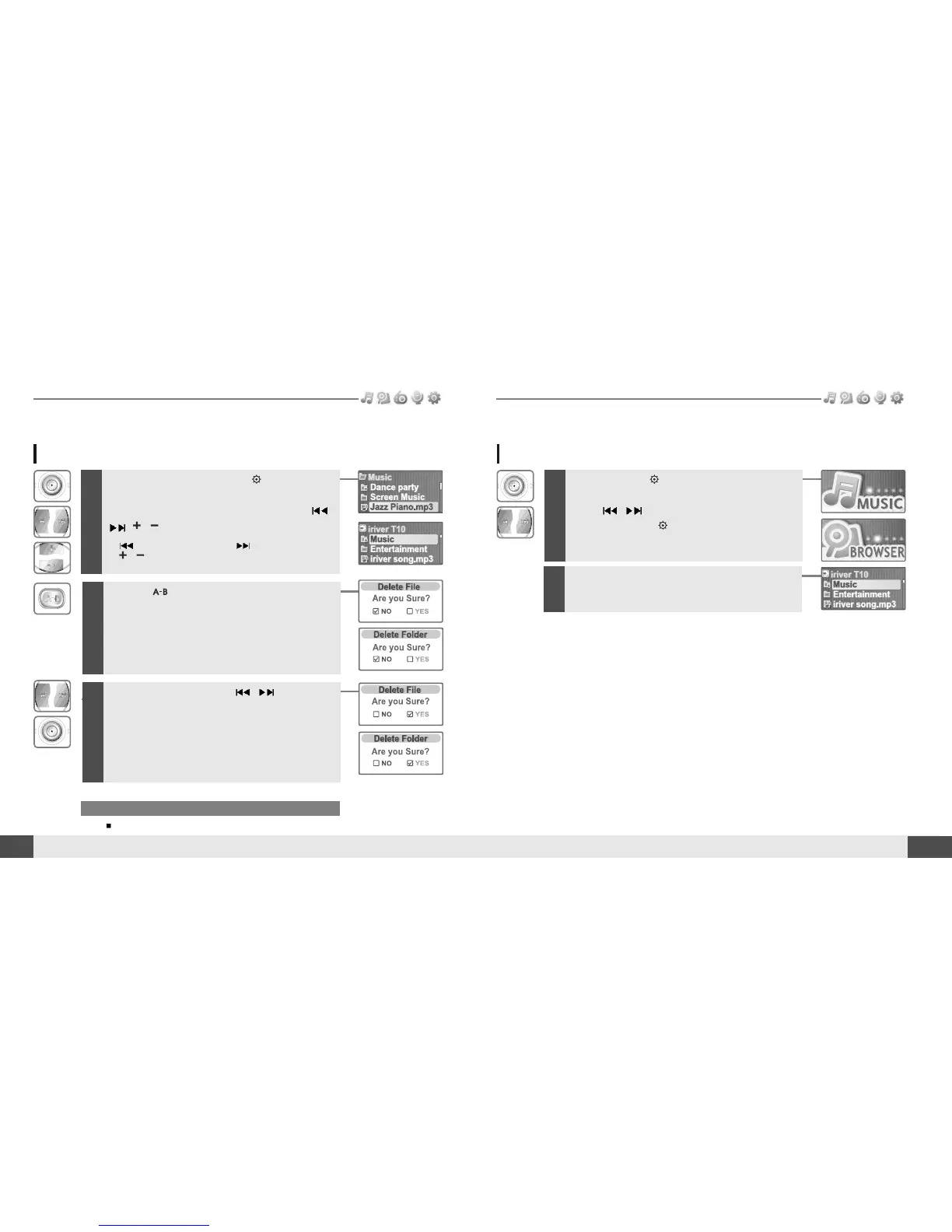
Deleting a file or folder on the player
1
While in stop mode, press the button to
display music list screen.
Select a file or folder to delete by using the
,
, , button.
: to go the upper folder : to go the sub folder
, : to select a file
Note
You can only delete an empty folder.
2
Click the button.
3
Select “YES” by using the , button to
delete, then press NAVI/MENU button.
File or folder is deleted on the player.
MUSIC
27
Basic operation
BROWSER
1
Press and hold button to display the
function mode screen.
Press
, button to select [BROWSER]
mode, then press button to enter.
2
File list screen is displayed on the LCD screen.


 To Next Page