14
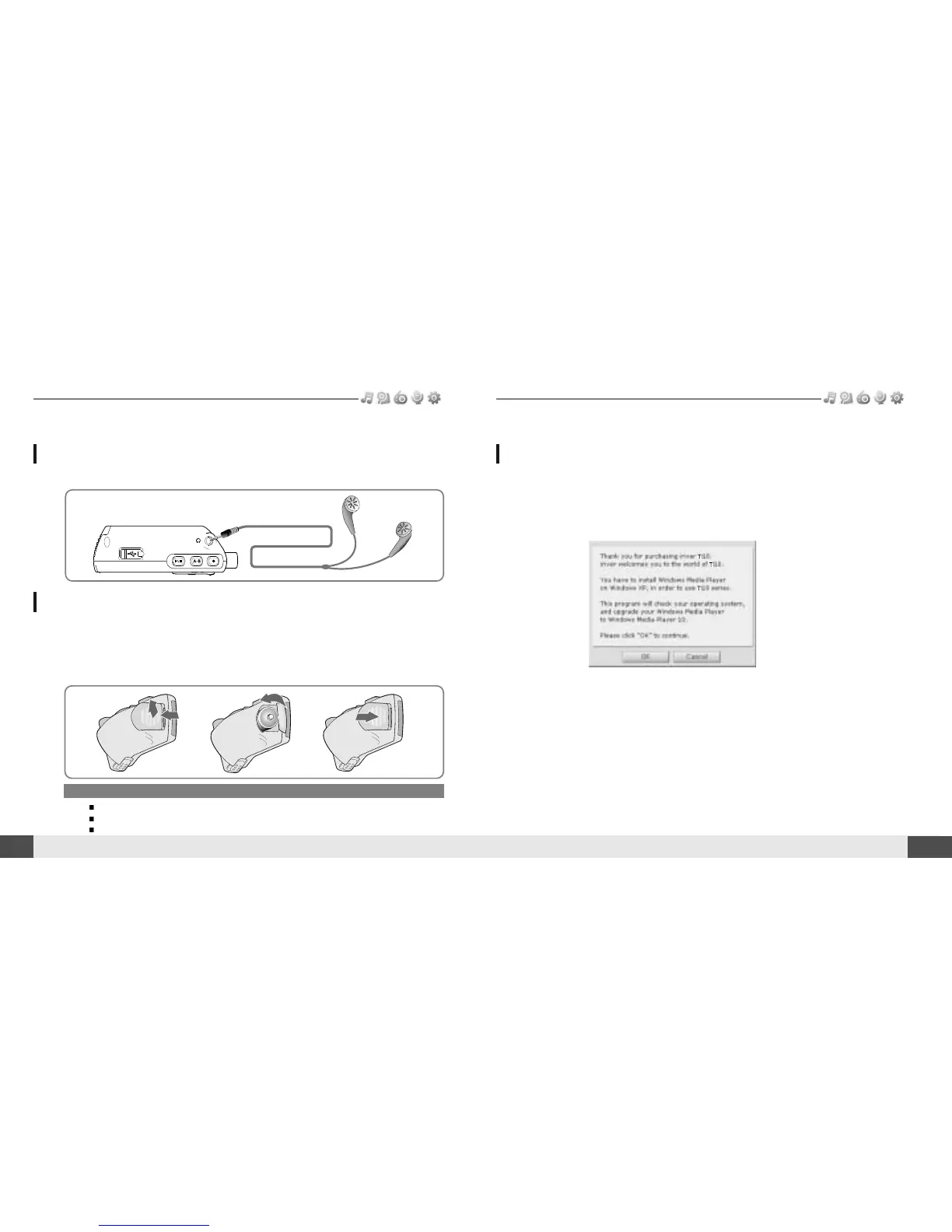
Connecting the earphones
Connection/Installation
Note
To avoid corrosion, remove the battery if the player is not to be used for a long time.
Remove dead battery immediately to avoid damage from corrosion.
When corrosion occurs, wipe the battery compartment immediately with a dry cloth and insert a new battery.
Getting started
1. Connect the earphones jack to the earphone socket on the player.
1. Open the battery cover.
2. Insert the battery. (AA 1.5V type x 1ea)
Be sure to match the + and - ends of the battery with the diagram inside the battery
compartment.
3. Close the battery cover.
Replacing the battery
Connection/Installation
13
Getting started
WMP 10 installation
1. The program installation process will start automatically after inserting the
Installation CD to the PC's CD-ROM drive.
Click the [OK ] button and follow the on screen instructions which appear as
each window.



 To Next Page