42
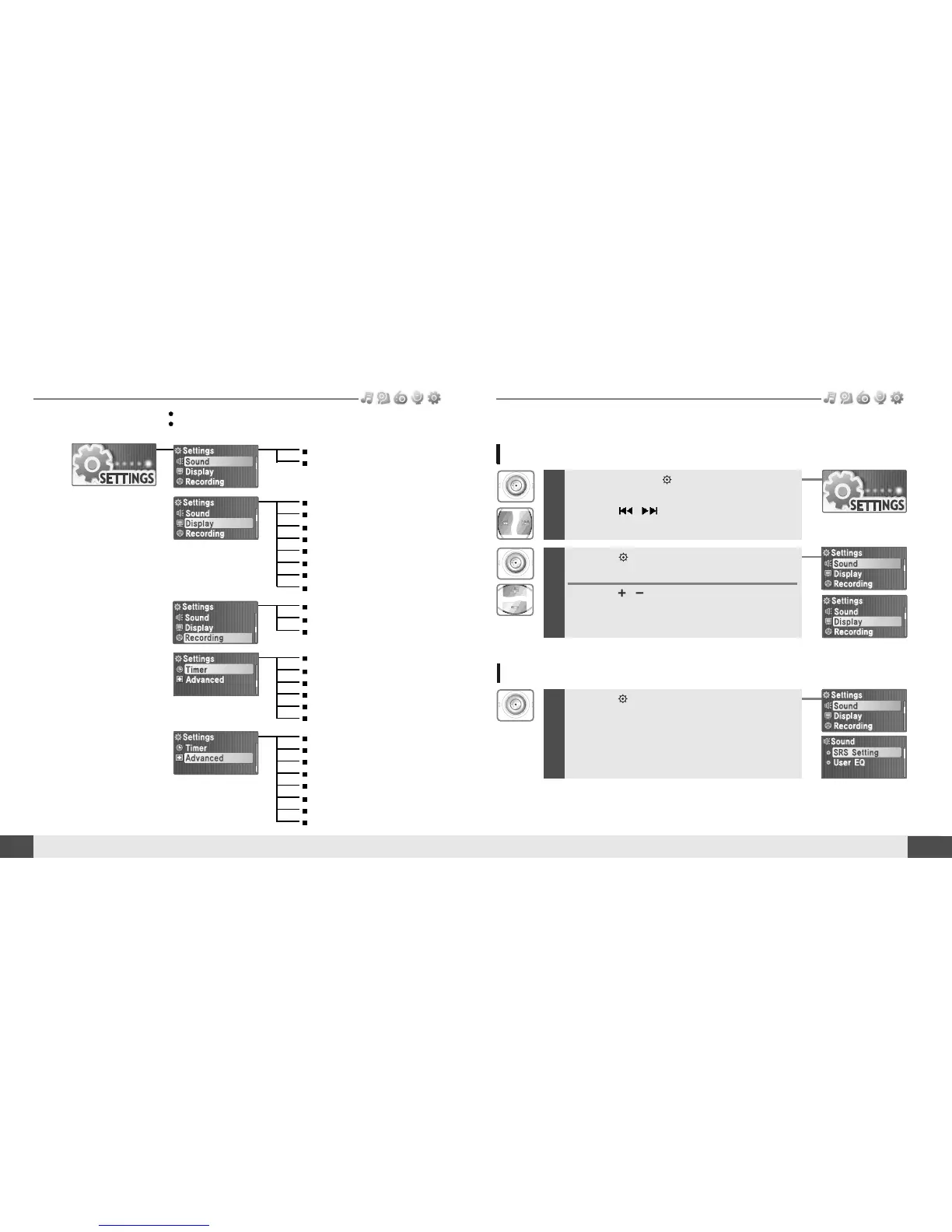
Enter Settings Menu
Menu operation
Useful features
Menu configuration
41
Useful features
Enter Sub Menu
Functions are subject to change with different firmware versions.
Users can configure their own settings.
SRS Setting
User EQ
Backlight Timer
Screen Saver
Scroll Speed
Tag Info.
Language
Battery Select
Name
LCD Contrast
Power Off Timer
Sleep Timer
Date & Time
Alarm/*FM Rec.
Set Alarm
*FM Rec. Reserve
Resume
System Info.
Scan Speed
Playback Speed
Study Mode
Load Default
Format
F/W Upgrade
*FM Setting
Voice Setting
Voice Detect
1
Press and hold the button to display the
Mode screen.
Press the
, button to select [SETTINGS]
mode.
2
Press the button to display the Settings
screen.
Press the , button to move the Settings
menu.
1
Press the button to enter the sub menu
screen.
* Only for models including FM Radio function



 To Next Page