12
Connecting to the PC
Connection/Installation
Getting started
Locating the controls
11
Getting started
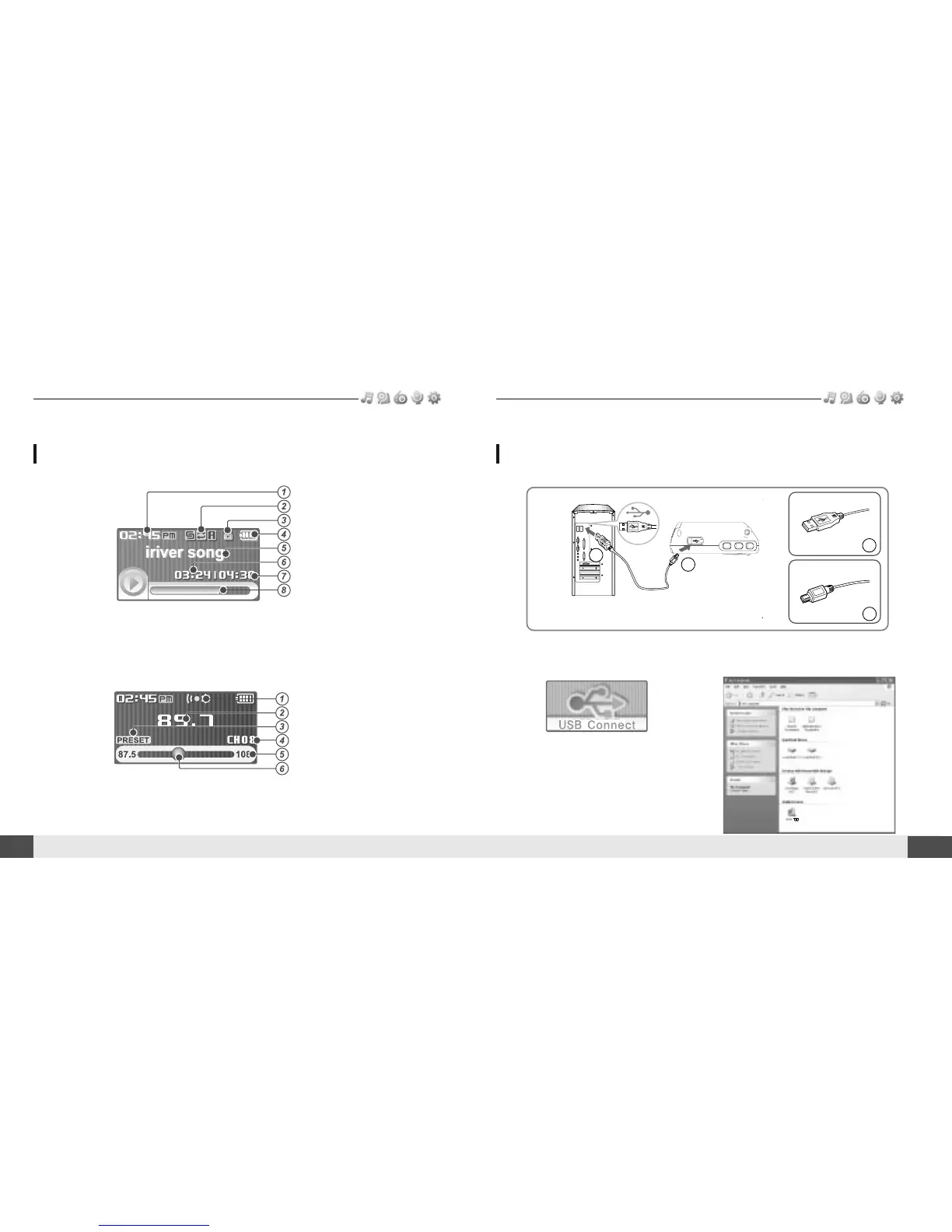
Time
Play Mode
Hold
Battery indicator
Title name
Playing time
Total Playing time
Progress Bar
Stereo indicator
Frequency
Preset indicator
Channel Number
Frequency Range
Frequency Bar
1. Connect the USB cable(provided) to the USB port on the player and to your PC.
3. Once installed, open Windows Explorer
and an additional drive should be listed
called “iriver T10”.
USB port on the PC
USB port on the T10
USB cable
A
A
B
B
LCD Screen display
1. MUSIC Mode
2. *FM RADIO Mode
2. Turn on the player, “USB Connect”
icon will appear on the LCD screen of
the player.
* Only for models including FM Radio function



 To Next Page