18
Quic k start
Basic Usage
.......................................
19
Turning on/off the player
.................................
19
Playing a music file
..........................................
19
Selecting a music file
.......................................
20
Adjusting the volume
.......................................
20
Selecting the function mode
...........................
21
Chapter
Connection/Installation
17
Getting started
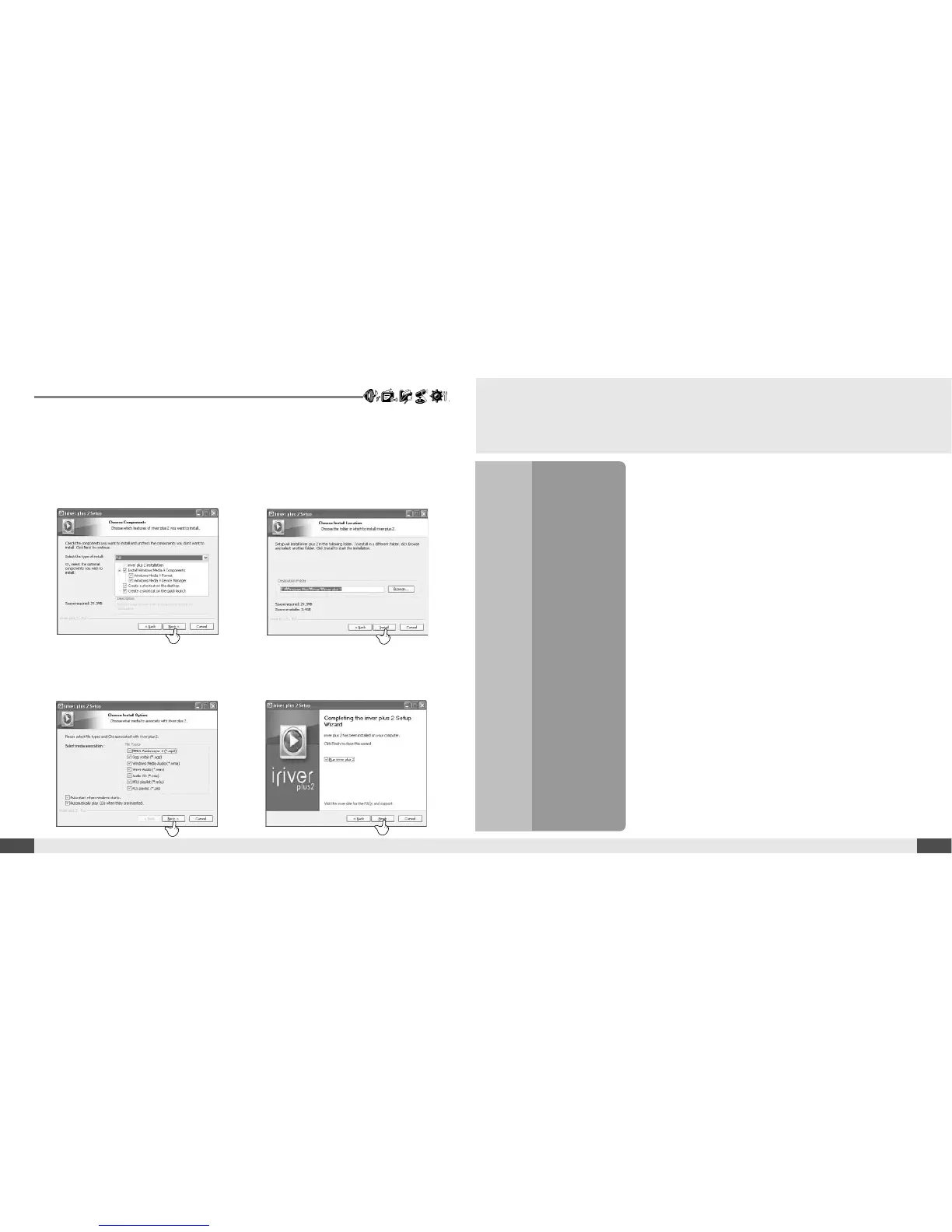
5. Select the components and click the
[Next ] button.
6. Select the installation folder and click
the [Install ] button. The installation
process screen appears.
8. Select the file types and then click the
[Next ] button.
9. Click the [Finish ] button when the
installation complete screen is
displayed.
2



 To Next Page