3
Chapter
22
Basic opera tion
MUSIC
..................................................
23
Playing a music file
..............................................
23
Selecting a music file
..........................................
25
Changing playback mode
...................................
26
A-B Repeat
............................................................
27
Changing the sound EQ
......................................
28
Download Music files
..........................................
29
Deleting a file on the player
................................
30
BROWSER
............................................
32
BROWSER
............................................................
32
*FM RADIO
...........................................
33
Listening to FM radio
...........................................
33
Searching for a frequency - Manual Scan
.........
34
Searching for a frequency - Auto Scan
..............
34
Saving for a frequency - Manually
......................
35
Saving for a frequency - Automatically
.............
36
Selecting preset memory
....................................
36
Deleting a channel
...............................................
37
RECORDING
.........................................
38
To record FM station
...........................................
38
Recording voice
...................................................
39
Recording from line-in
.........................................
40
Note for recording
................................................
41
To play a recorded file
.........................................
41
Basic Usage
21
Quick start
<Only for models including
FM Radio function>
Note
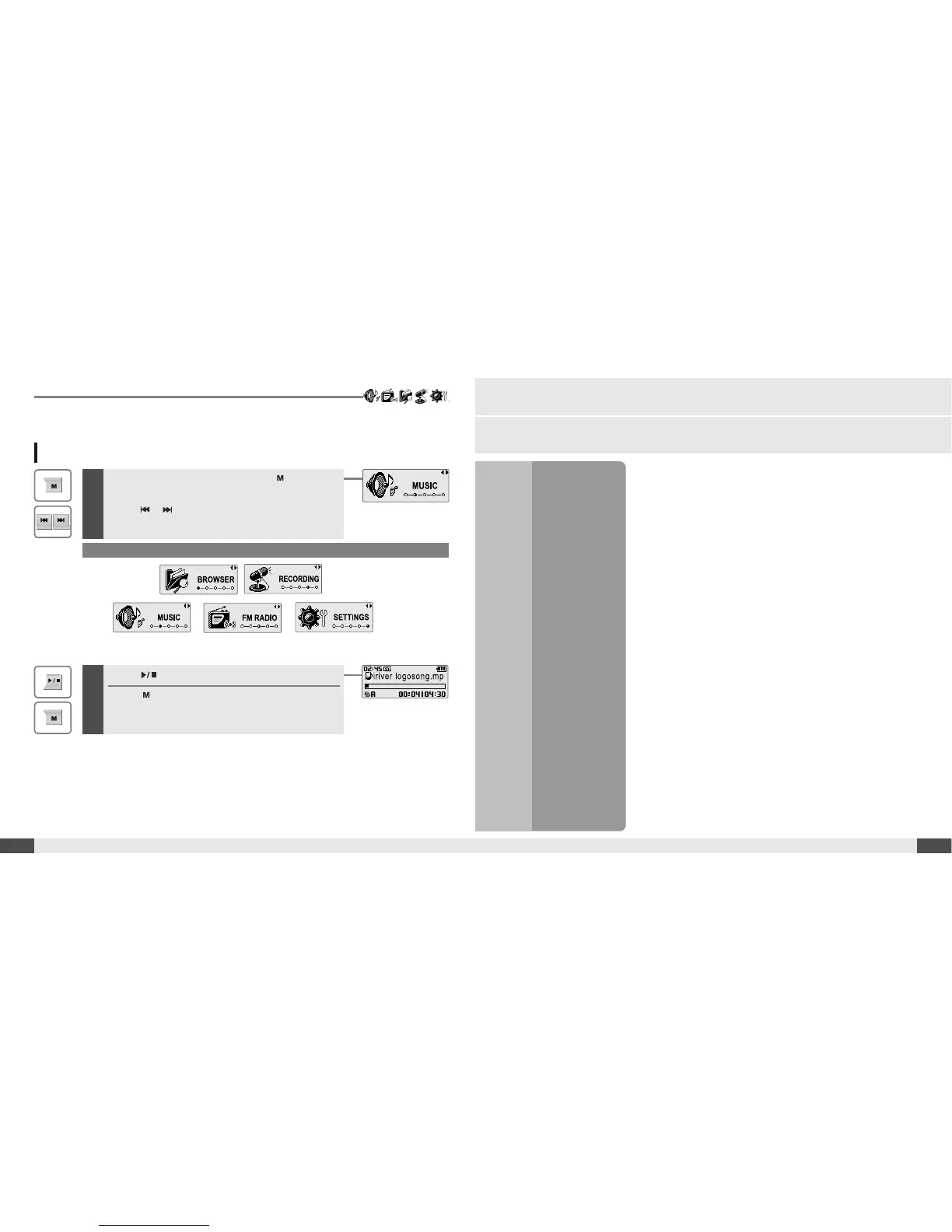
Selecting the function mode
1
When powered on, press and hold button to
display the function mode screen.
Press , button to choose the desired
function mode.
2
Press button to enter.
Press button to cancel.
* Only for models including FM Radio function



 To Next Page