42
Useful f eatures
Menu configuration
............................
43
Menu operation
.................................
44
Enter Settings Menu
.........................................
44
Enter Sub Menu
................................................
44
Set the menu functions
....................................
45
Exit sub menu
...................................................
45
Customizing the function settings
.......
46
Sound
................................................................
46
Display
...............................................................
49
Recording
..........................................................
53
Timer
..................................................................
56
Advanced
..........................................................
59
4
Chapter
RECORDING
41
Basic operation
Note for recording
The recording will be stop if
- the amount of recorded data exceeds the memory capacity of the player.
- the battery is low.
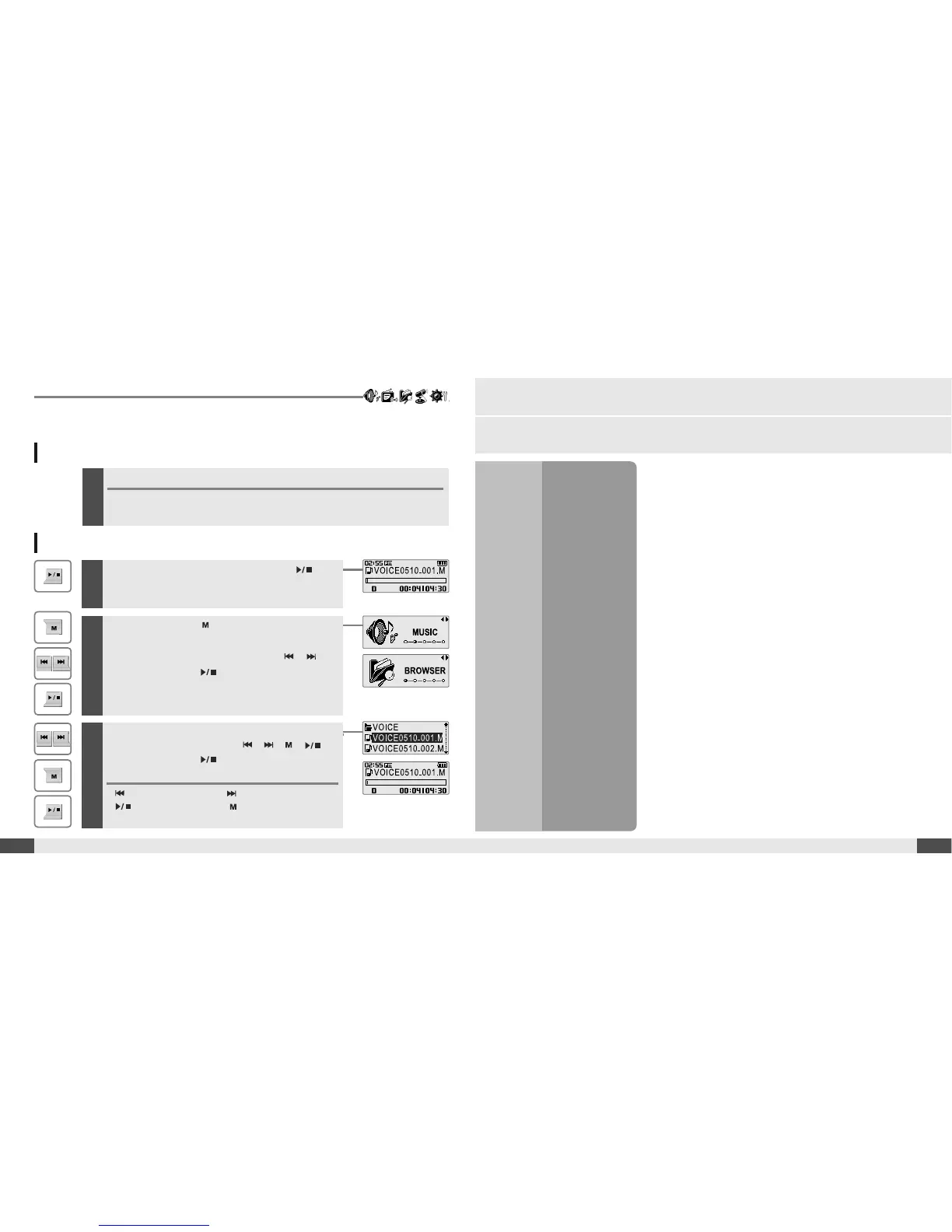
1
Press and hold the button to display function
mode screen.
Select the [BROWSER] by using the ,
button, then press button.
2
Select a recorded file in the [RECORD] or
[VOICE] folder by using the , , ,
button, then press button.
The selected file will begin playing back.
:tomoveup :tomovedown
: to enter the folder : to exit the folder
To play a recorded file
-
While Recording standby mode, press
buttontoplayrecordedfile.
Previous recorded file will begin playing back.



 To Next Page