52
Customizing the function settings (Menu)
Useful features
Customizing the function settings (Menu)
51
Useful features
3
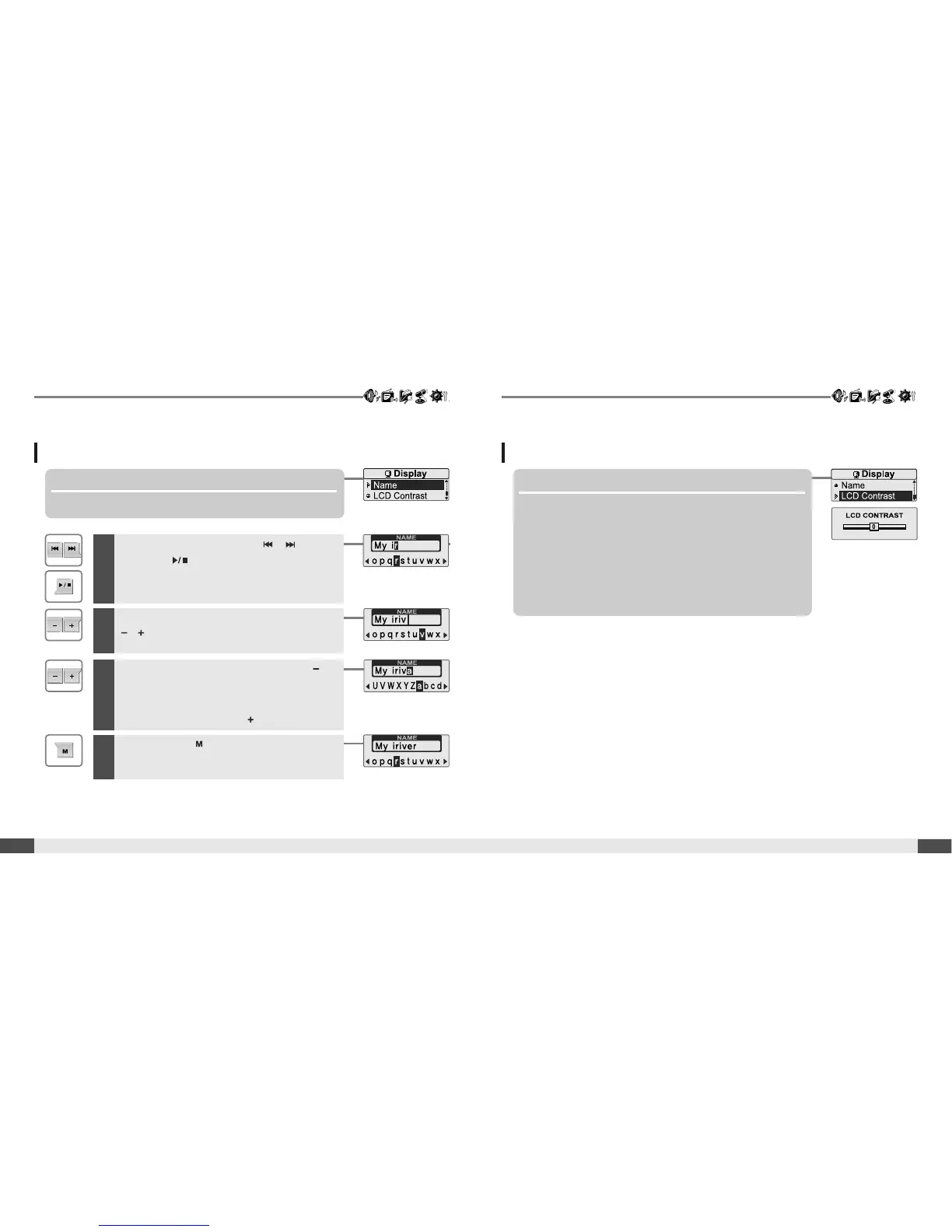
To delete the character, press and hold
button.
To scroll between English and your preferred
language, press and hold button.
4
Press and hold button to save and exit.
Display
Display
5. Name
Youcaninputyournameorcustomtext.
6. LCD Contrast
Adjust the LCD screen contrast.
The LCD contrast can be adjusted from <-5> to <+5>.
1
Select the character by using , button
and press button to input the character.
2
To move the cursor in the name window, use
, button.



 To Next Page