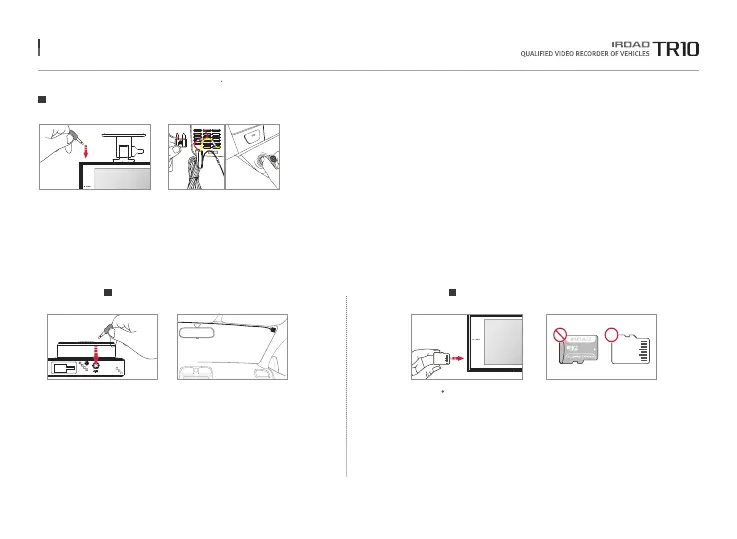
Make sure to insert SD card in the right way.
9. INSTALLATION
Insert the SD card into the memory card slot until it clicks into place.
When using the memory card for the first time /
When resuing the memory card after formatting,
the system goes into standby mode for 3 to 5 minutes to create.
system files and checking the memory card.
Recording starts with voice guide saying "Start Recording".
Connect external GPS to the GPS slot of the top.
It provides vehicle speed, location and other
additional information if connect external GPS.
Please make sure to have some distance
between main product and GPS.
Product Installation
Connect External GPS.
Inserting SD Memory Card
4. Connect power cable to DC-IN slot.
5. Other side of cable connects to vehicle fuse or cigar jack cable.
In order to install uninterrupted power cable,
Please refer to page 10 or FAQ for connecting fuse power cable
6. Make sure that the product is operating normally.
7. Clean up the power cable and rear camera wiring
with cable holder or using edge part of vehicle.
10
15
10
10
20
20
15
15
10
10
10
15
10
15
10
10
20
VCC
GPS
The function is able to be changed for firmware upgrade or product enhancement without prior notice, please visit website regularly.



 To Next Page