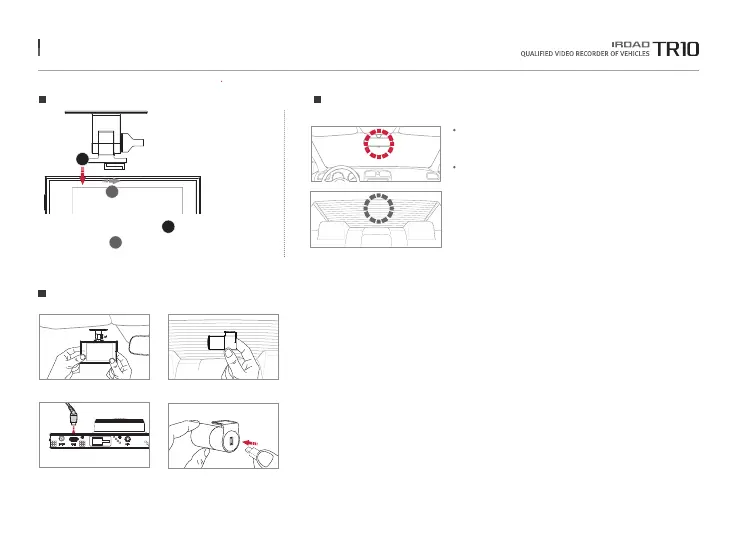
8. INSTALLATION
Use dry fabric to wipe out the spot
where the product will be attached on the windscreen.
Make sure to install the product on
where sight is not disturbed.
1. Use soft cloth to wipe out the spot where the product will be attached.
(Wipe out with soft cloth or tissue)
2. Attach product.
(Remove the protective film from the adhesive tape of front/rear camera)
3. Connect the cable of rear camera.
(Connect the rear camera cable V-IN slot)
Placing Cameras
Mounting a Cradle for Front Camera
Product Installation
Tuck a transparent cradle( ① ) into
the main body( ) and then push the cradle in.
1
2
1
2
The function is able to be changed for firmware upgrade or product enhancement without prior notice, please visit website regularly.



 To Next Page