Auto hibernation
Always on
32. LCD
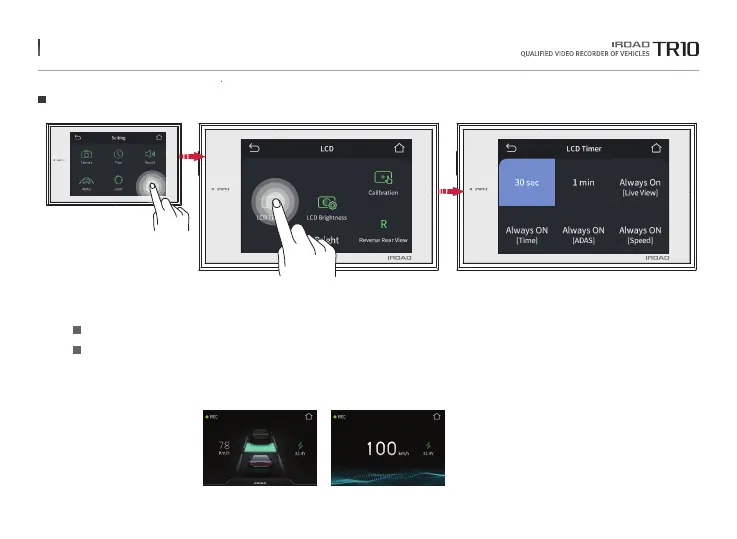
LCD Timer
It can set up the Always on (Clock / ADAS / Speedmeter / Live) and auto hibernation settings.
Touch what you want and it will be ticked, and press back button to save the configuration.
After selecting real-time video, clock, ADAS, and speed among Always ON functions,
the set functions operate after a period of time.
※ If choosing constant on mode, turning off function on the main menu is disabled and
LCD lifespan may be shortened.
The function is able to be changed for firmware upgrade or product enhancement without prior notice, please visit website regularly.



 To Next Page