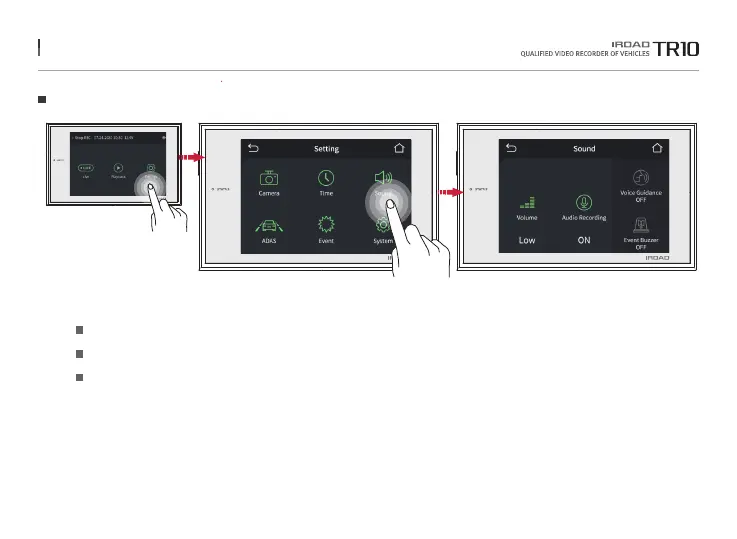
23. SOUND
Sound
Volume Setting Choose among Low / Medium / High
Audio Recording
Voice Guidance
Toggle it to turn On / Off audio guidance
Toggle it to turn On / Off voice guidance
Tap on sound button on the setup screen to activate / deactivate audio recording and voice guidance.
The function is able to be changed for firmware upgrade or product enhancement without prior notice, please visit website regularly.



 To Next Page