LCD Brightness
Calibration
Reverse Rear View
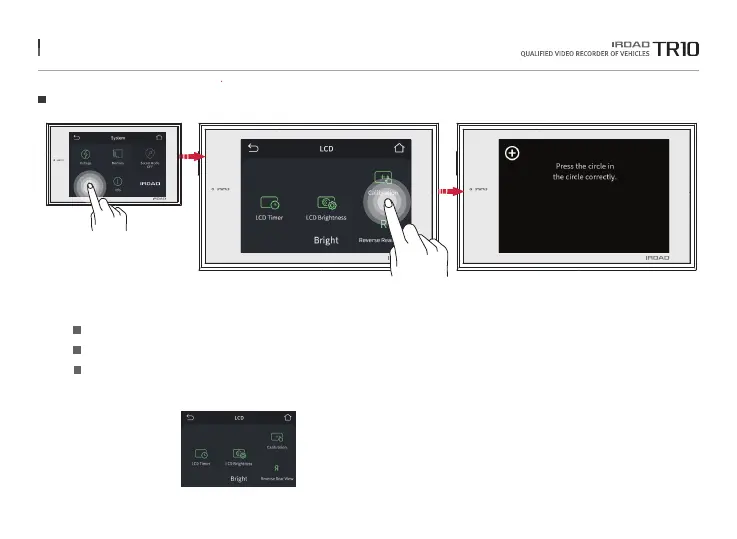
33. LCD
LCD
It can set up the LCD Brightness, Touch correction, Reverse Rear View settings.
Choose among Dark / Normal / Bright
Run touch correction when tapping on the screen is not smooth and well.
If users select the reverse rear view, rear recording videos are inverted on LCD.
※ When real-time video (rear recording) is checked on the LCD screen, it is displayed in forward or reverse direction.
Please note that the set value is not applied to the recorded video.
LCD
The function is able to be changed for firmware upgrade or product enhancement without prior notice, please visit website regularly.



 To Next Page