EasyManua.ls Logo

iRobot Scooba - User Manual

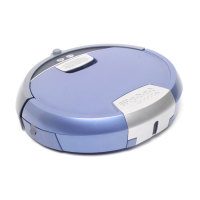
iRobot Scooba
32 pages
Print Icon
To Next Page IconTo Next Page
Loading...
Scooba 400 Series Owner’s Manual 1
EN
Dear Scooba Owner,
Congratulations on purchasing an iRobot
®
Scooba
®
,
and welcome to the iRobot family! You’ve joined a
global community of people —10 million and growing
— who have discovered a smarter way to clean.
Like Scooba owners, we’re passionate about our
robots. That should come as no surprise, as making
robots is all we’ve done for over two decades.
I realize you’re probably itching to give your Scooba a
go, but please take a few moments to read this manual
first. That way, you’ll have an even better experience
with your new robot.
For even more on your new Scooba, visit the owner’s
center at www.irobot.com/scooba400. You’ll be able to
learn more about how your Scooba works, register your
Scooba and activate your warranty, giving you exclusive
access to our award-winning customer service along
with product updates and other valuable information.
I hope you enjoy life as a Scooba owner. On behalf
of our entire team, thank you for choosing iRobot.
Best Wishes,
Colin Angle
Chairman, CEO and Co-Founder
iRobot Corporation
Welcome!

Questions and Answers

  • E
    Eric TaylorAug 13, 2025
    What to do if iRobot Scooba battery isn't full?
    • J
      Jeremy GreenAug 13, 2025
      If your iRobot Vacuum Cleaner isn't fully charged, it could be due to a partially depleted battery, a damaged battery, or poor battery connections. Return it to its charger for at least two hours. If that doesn't work, the battery may need to be replaced. Also, check for debris on the battery or inside the battery compartment and clean if necessary.
  • M
    matthew15Aug 16, 2025
    Why iRobot Scooba Vacuum Cleaner says clean tank is not full?
    • K
      Kenneth MaxwellAug 16, 2025
      If your iRobot Vacuum Cleaner indicates the clean tank isn't full, it could be due to several reasons: * The clean water tank is empty, so add water and iRobot Hard Floor Cleaner. * There is debris on the metal connections between the tank and the robot; clean them off. * You are using distilled water; switch to tap water or add iRobot Hard Floor Cleaner. * The pump isn't pumping enough fluid; turn the device off and press CLEAN to restart pump priming.
  • R
    rmayAug 20, 2025
    Why does my iRobot Scooba Vacuum Cleaner get stuck?
    • P
      Paul ContrerasAug 20, 2025
      Your iRobot Vacuum Cleaner might be stuck because one of its wheels isn't fully on the floor, it's too close to stairs, or it's in a large, open room without walls or furniture. Make sure all wheels are on a flat floor. If it's near stairs, move it to a new location. In large rooms, use Virtual Walls to create a smaller cleaning area.
  • R
    Robert LopezAug 25, 2025
    How to fix iRobot Scooba when something is stuck in the brushes?
    • B
      Breanna WrightAug 25, 2025
      If your iRobot Vacuum Cleaner reports something stuck in the brushes: * Check the roller brush for debris, especially under the yellow end caps, and remove any obstructions. * Ensure the roller brush and the cleaning head are properly installed. * If the brush spins without resistance, contact iRobot support.
  • A
    Amy SmithAug 28, 2025
    What to do if something is stuck in iRobot Vacuum Cleaner bumper?
    • E
      ekimAug 28, 2025
      If something is stuck in your iRobot Vacuum Cleaner's bumper, check for debris between the bumper and the robot's body and clean it. If the bumper is damaged, contact iRobot support.
  • R
    Rodney SmithSep 1, 2025
    Why iRobot Vacuum Cleaner says sensors are blocked?
    • M
      Michael RoseSep 1, 2025
      Your iRobot Vacuum Cleaner might be reporting blocked sensors because the cliff detection sensors are dirty or seeing black matte flooring as a cliff. Clean any debris stuck to the cliff sensors. If it's stuck on a black surface, move it to a new location.
  • C
    Christina DanielsSep 4, 2025
    How to fix iRobot Scooba when something is stuck in the wheels?
    • D
      Dr. Justin FitzpatrickSep 4, 2025
      If your iRobot Vacuum Cleaner indicates something might be stuck in the wheels, check for debris between the wheel and the wheel motor module. If you find any, remove it.
  • K
    Katie BurnsSep 8, 2025
    What to do if iRobot Vacuum Cleaner front wheel is missing?
    • W
      William EllisSep 8, 2025
      If the front caster wheel is missing, replace it.

Summary

Important Safety Information

General Safety and Usage

General safety guidelines, supervision, EU rules, and cautions for appliance use.

Restrictions and Battery Safety

Use restrictions, battery, and charging safety precautions for the robot.

Charger and Disposal Safety

Safety for battery chargers, handling, disposal, and specific Scooba use restrictions.

Getting to Know Your Scooba

Top View Components

Identifies and labels components visible from the top of the Scooba robot.

Bottom View Components

Identifies and labels components visible from the bottom of the Scooba robot.

iAdapt Navigation Technology

Cleaning Behaviors Explained

Explains various cleaning behaviors like Spiraling and Room Crossing.

Wall Following Navigation

Describes the Wall Following navigation for perimeter cleaning and obstacle avoidance.

Scooba Cleaning System

Cleaning Phases Detailed

Details the three cleaning phases: Sweep & Pre-Soak, Scrub & Squeegee-Vacuum, Squeegee-Finish.

Scooba Lights and Buttons

Control Interface Overview

Details functions of Clean Button, LED Status Ring, Battery Indicator, Room Size, and Information Buttons.

Getting Started and Setup

Unpack Box Contents

Lists items included in the Scooba robot package.

Insert and Charge Battery

Instructions for installing and charging the robot's battery.

Language Selection Process

Step-by-step guide on how to select the robot's language.

Scooba Operation Guide

Add Water and Cleaning Solution

Instructions for filling clean and dirty water compartments with water or solution.

Reattaching the Tank

Instructions on how to properly reattach the tank to the Scooba robot.

Place Scooba in Room

Guidance on positioning the Scooba robot in the room for optimal cleaning.

Select Cycle Length and Start

How to choose cycle length and initiate a cleaning cycle.

Virtual Wall Accessory Guide

Set up Virtual Wall

Explains setup and positioning of the Virtual Wall accessory for room confinement.

Virtual Wall Battery Installation

Step-by-step instructions for installing batteries into the Virtual Wall barrier.

Maintenance Procedures

Empty and Rinse Water Compartments

Procedures for emptying and rinsing the clean and dirty water compartments.

Clean Tank Filter and Head Components

Instructions for cleaning the tank filter, cleaning head, and roller brush.

Remove Hair and Return to Charger

How to remove hair from end caps and return Scooba to its charger.

Reassemble and Reinstall Cleaning Head

Instructions for reassembling and reinstalling the cleaning head after maintenance.

Troubleshooting Guide

Common Error Messages and Solutions

Table of common error messages, their causes, and solutions.

Troubleshooting Specific Issues

Solutions for problems related to wheels, sensors, tank, and battery.

Product Registration

Register Your Scooba

Information on how to register the Scooba to activate warranty and access benefits.

Declaration of Conformity

Compliance Standards

Lists the standards and directives to which the Scooba and charger conform.

iRobot Customer Care

Contacting Customer Support

Information on how to contact iRobot Customer Care for assistance.

iRobot Scooba Specifications

General IconGeneral
BrandiRobot
ModelScooba
CategoryVacuum Cleaner
LanguageEnglish

Videos

How to Charge Scooba 450

Related product manuals