30
USE AND MAINTENANCE MANUAL
EN
428000467237 MILLENNIUM
SAVE TEMPERATURE (MAXIMUM and MINIMUM)
DISPLAY MINIMUM TEMPERATURE
Press and release the key; the message "Lo" will be displayed, followed by the minimum
temperature reached.
Press the key or wait 5 seconds to display the normal temperature again.
DISPLAY MAXIMUM TEMPERATURE
Press and release the key; the message "Hi" will be displayed, followed by the maximum
temperature reached.
Press the key or wait 5 seconds to display the normal temperature again.
DELETE MINIMUM / MAXIMUM TEMPERATURE
When the saved temperature is displayed, press the key for a few seconds
(the letters rSt will appear).
To conrm, the letters rSt will begin to ash.
DOUBLE MAPPING (POSITIVE TEMPERATURE / NEGATIVE TEMPERATURE)
CHECK MAP USED
Press and release the key, the type of map used will be displayed.
Pt: Positive Temperature
Lt: Negative Temperature
TEMPERATURE VARIATION (from Positive to Negative and vice versa)
It is possible to edit the operation map by pressing the key for 5 seconds; it will go from Positive
Temperature (Pt) to Negative Temperature (Lt) and vice versa.
N.B.: after the change, the device will switch off and restart in the new mapping.
SET-POINT
DISPLAY
Press and release the key: the set-point will be displayed immediately; to go back to the
temperature, wait 5 seconds or press the key again.
CHANGE
Press the key for at least 2 seconds; the set-point will be displayed and the °C LED will
start to ash.
To change the value, use
the UP and DOWN ARROW KEYS.
To save the new
set-point
, press the SET
button
, or wait 15 seconds to quit
programming mode.
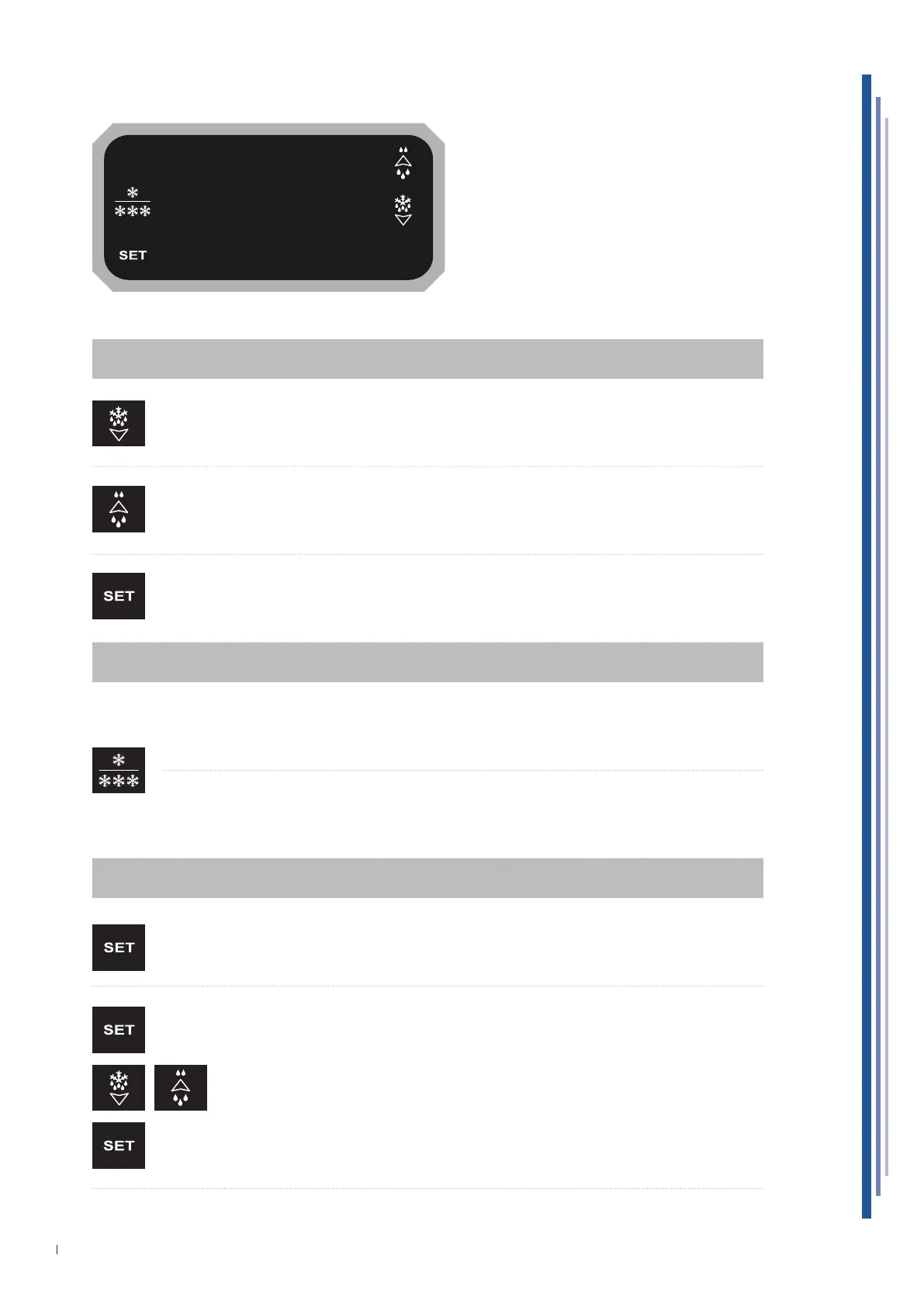
12.2 USER INTERFACE XR44CH


 To Next Page