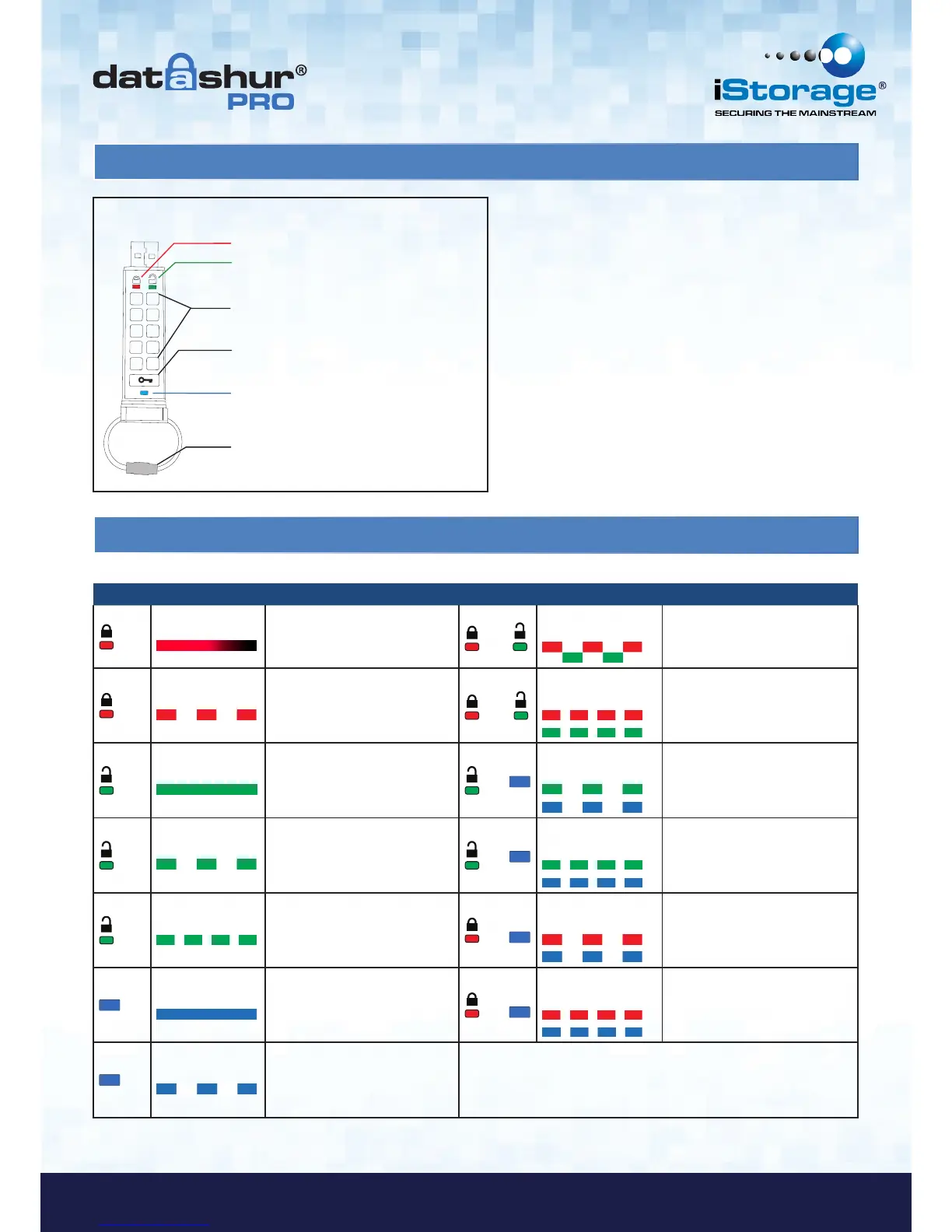
1. datAshur Pro Layout
2. LED indicators and their actions
1 2
3
5 6
7
9 0
8
4
RED LED
GREEN LED
KEY Button
Keypad
Keyring, unscrew to add to key ring.
BLUE LED
.
.
.
.
LED LED State Description LED LED State Description
Red - Fade Out
Locking down/incorrect PIN entry
/
Red and Green
blinking alternately
Factory reset/deleting files in Admin
mode
Red blinking Locked and awaiting factory default
PIN or User defined PIN entry
&
Red and Green
flickering together
Awaiting Admin PIN entry
Green Solid datAshur Pro is unlocked in User
mode
&
Green and Blue
blinking together
User Options mode
Green blinking
When connected to a USB port if
Green Led blinks every 2 seconds
this indicates the datAshur Pro has
been set as ‘Read-Only’
&
Green and Blue
flickering together
Admin Options mode
Green flickering datAshur Pro is unlocked in Admin
mode
&
Red and Blue
blinking together
When not connected to a USB port
indicates that both User and Admin
PINs have been set on the
datAshur Pro
Blue Solid
Connected to a USB port
&
Red and Blue
flickering together
Awaiting Admin PIN change
Blue Blinking
Data exchange with host/changing
User PIN/when not connected to a
USB port indicates an Admin PIN
exists















 To Next Page