11
6. SCREEN OPERATION INSTRUCTIONS
1. Home
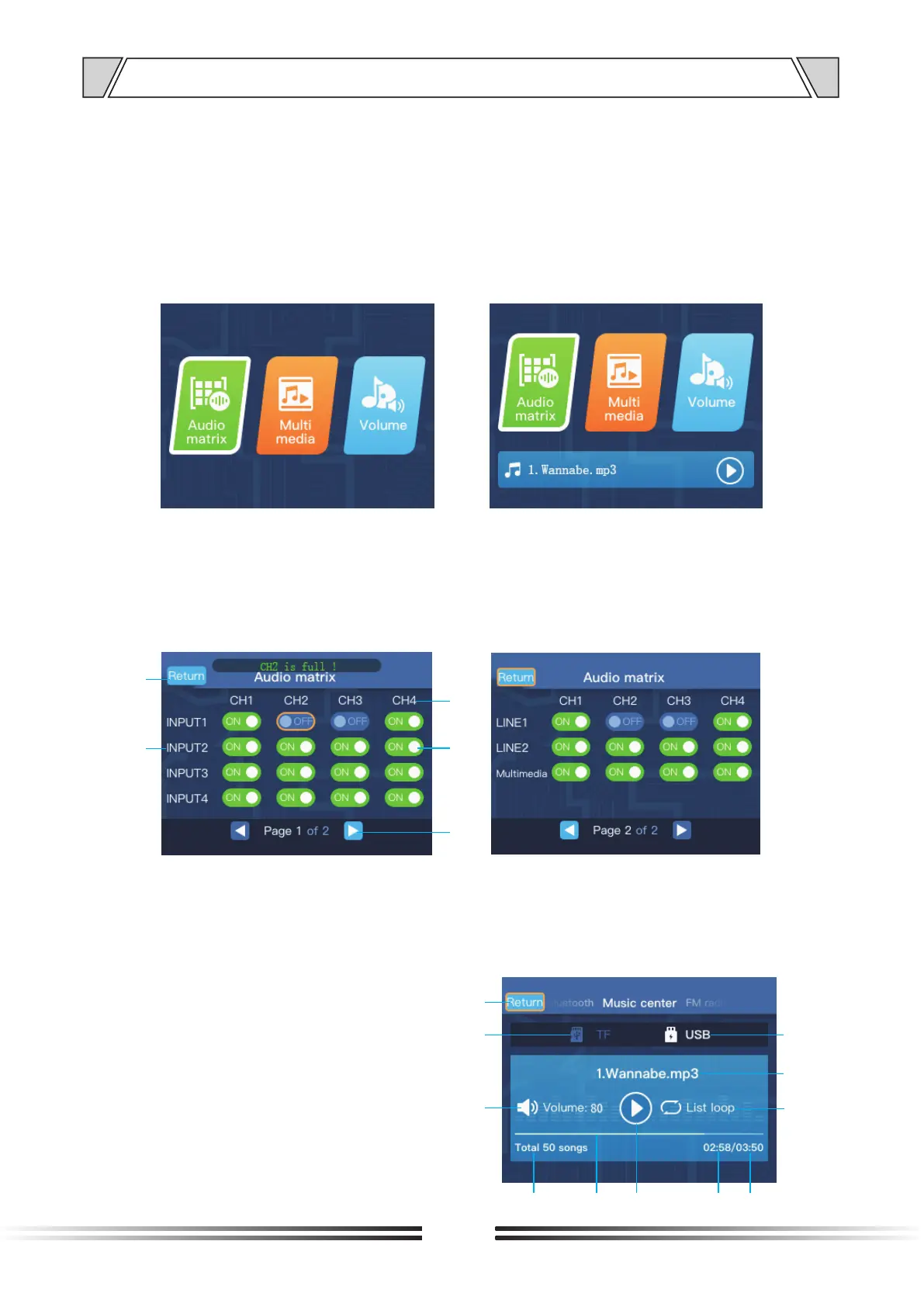
The homepage is mainly composed of the three function icons of “Audio matrix”, “Multimedia”
and “Volume” and the status area below, which will display different status information in
different states. On the home page, you can use the “MENU” knob to switch the cursor to
select a function, and short press the “MENU” knob to enter that function.On the home page,
you can also use the “MODE” button to switch the multimedia function mode ( except for the
recording mode). The recording mode can be switched by the “MODE” button on the multimedia
interface, or switch to this mode by default when both the U disk and TF card are removed.
Left: no status display Right: status display
2. Audio matrix
The audio matrix interface is used to configure the switch of each channel of the audio matrix, as
shown in the figure below, you can use the "MENU" knob to switch the cursor to select the channel
to be configured, and then short press the "MENU" knob to switch the state "ON" or "OFF", one
output channel CHx allows up to 4 input channels to be connected simultaneously.
1. Return button; 2. Input channel 3. Output channel
4. Channel switch status: "ON" or "OFF";
5. Page number information and page turn button.
; ;
1
2
3
4
5
Left: Audio matrix page 1
Right: Audio matrix page 2
3. Multimedia
3.1 Music center
The interface of the music center is shown below:
1. Return button;
2. TF mode indication, when it is not highlighted,
it means it is not TF mode;
3. Volume;
4. The total number of recognizable songs on the
media USB or TF;
5. Play progress bar;
1
2
3
4
5
6
7
8
9
10
11


 To Next Page