User Guide
clicking the mouse after moving the cursor up or down to the desired zone parameter. Click the middle
mouse button to make a selection and exit out of each zone option item. When you are finished making zone
parameter changes, position the mouse cursor over "Exit" and click the left mouse button to exit the "Add"
menu.
Some Typical Zone Parameters:
Label 1
Dir ANY
Grn/In NONE
Type PRES
And/W 1
Ch/Out PROC: 2
Exit
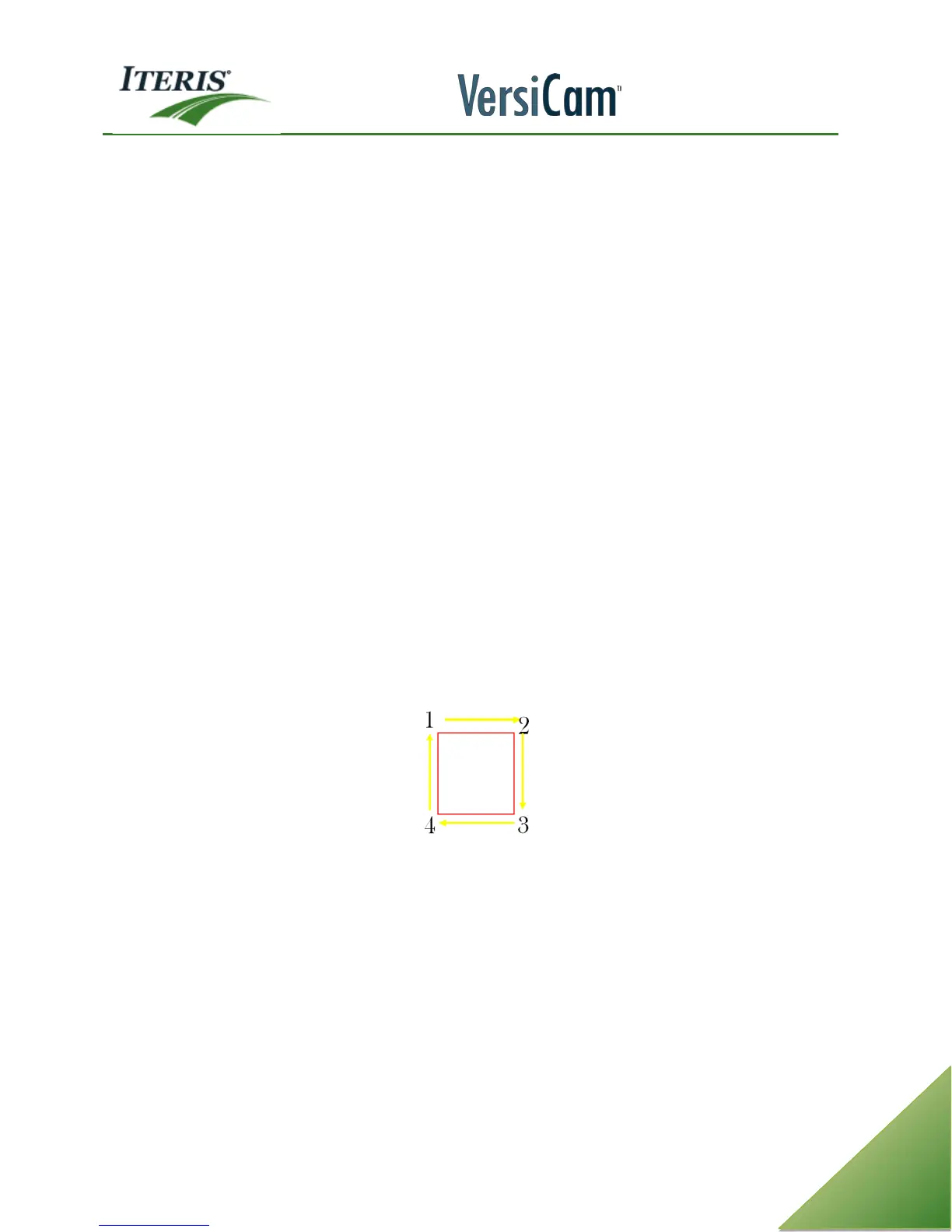
You are now ready to start drawing a vehicle detection zone, place the cursor where you want to anchor the
back left corner of the zone. Left click the mouse to anchor the first corner. Now, move the cursor to where
you want the right rear corner of the zone, left click the mouse to anchor the corner. Next, move the cursor
to where you want to place the right front corner of the zone, left click the mouse to anchor the corner.
Finally, move the cursor to where you want to place the left front corner of the zone, left click the mouse to
anchor the final corner.
Vehicle detection zones should be drawn the length of a medium size vehicle from back to front bumper, a
single zone should not encompass the entire length of the vehicle and the width should be slightly narrower
than the lane lines. Multiple or overlapping zones will increase the detection sensitivity. Realize that
excessive overlapping may also increase false calls from artifacts in the roadway.
Repeat the process to draw additional zones for all your stop bar traffic, left turns, and advance detection.
After your zones are all drawn the way you want them, be sure to left click "Q" (Quit) and save your
configuration by left clicking the mouse on Config 1 on the "Save" menu. If you do not save your
configuration, it will be lost as soon as you exit the main menu. You may want to save the same configuration
to all three configs (1,2,&3) so you will have a backup copy of the configuration if you need it.
LC (fog) zones are located in the top 1/3 of the screen. They are no bigger than ¼” by ¼ “. The LC zones are
assigned to channel “0” or “none”. They are placed in an area of contrast. We recommend 2 LC zones per
approach.



 To Next Page