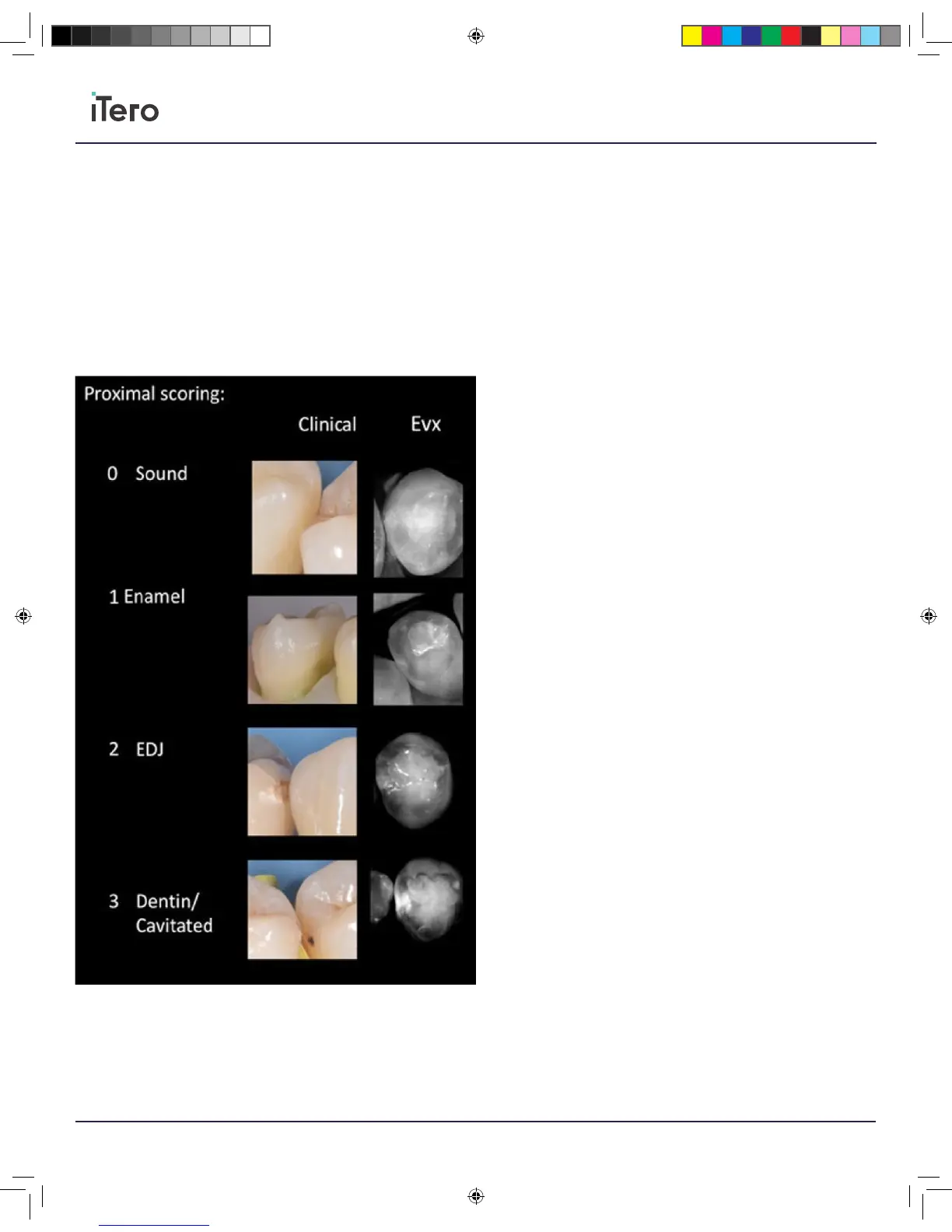
Proximal caries
Scoring provided according to ICDAS-II standard
• Sound enamel, will appear without any noticeable bright spots,
meaning it will resemble a dark ring circling a bright inner circle
representing the dentin.
• Enamel caries appear as a bright spot, which is not reaching the dentin.
• Caries reaching EDJ will appear as bright spot in the enamel dark ring,
which connects, to the bright dentin.
• Bright spot in the enamel which is connecting significantly to the
bright dentin, may indicate a dentinal/cavitated caries.
206721RevC_iTeroElement5D_IFU.indd 20 1/9/19 3:12 PM



 To Next Page